
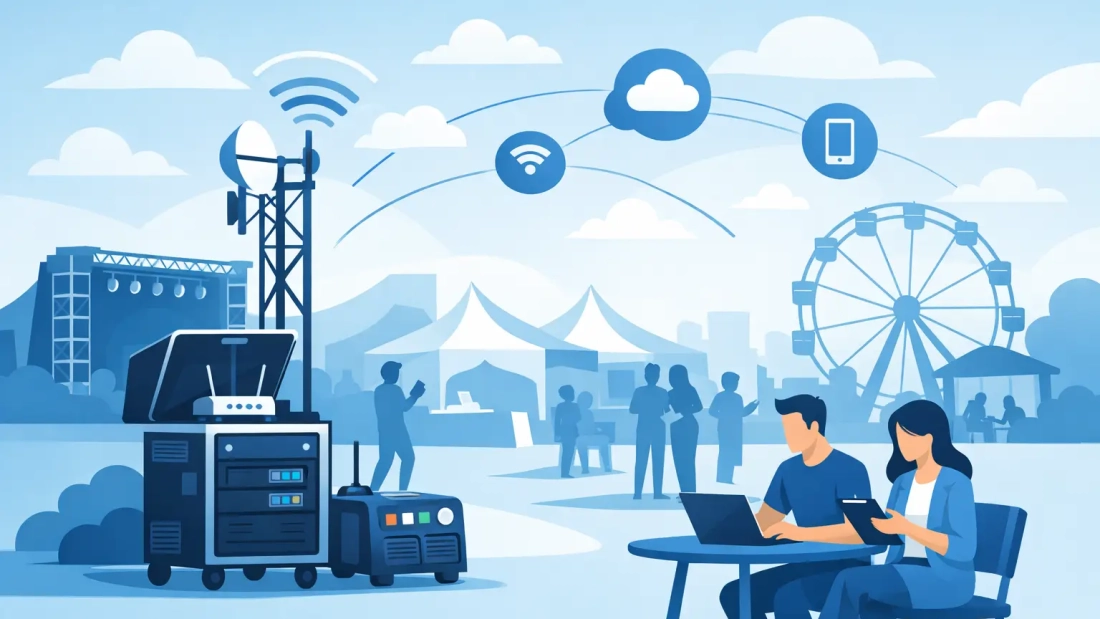
A registration line that cannot scan tickets, a card terminal that will not process payments, or a livestream that drops mid-presentation can change the feel of an event in minutes. Temporary internet for events is not simply a guest amenity. It is the network foundation behind the systems organizers, exhibitors, vendors, and attendees rely on to keep the day moving.
For a corporate conference, trade show, product launch, festival, or pop-up activation, connectivity needs often appear temporary but carry permanent consequences. A failed transaction affects revenue. A failed demo affects a sales opportunity. A failed check-in creates an immediate operational problem in front of customers and guests.
Temporary Internet for Events Is an Operations Decision
The right event connection starts with a clear understanding of what the network must support. Event Wi-Fi is frequently treated as one item on a venue checklist, alongside tables, signage, and catering. That approach can leave critical systems competing for capacity with hundreds of personal devices.
A business-grade temporary network is planned differently. It considers the applications that matter most, the number of concurrent users, the physical layout of the venue, and what happens if the primary connection is interrupted. The goal is not merely to show a Wi-Fi signal. The goal is to keep business activity available when the room is full and demand is highest.
This matters across South Florida, where events may take place in convention facilities, hotels, outdoor venues, warehouses, offices, retail spaces, or locations with limited existing infrastructure. A site may have internet available, but that does not mean it has the speed, coverage, security, or support required for an event.
Start With Event Demands, Not a Bandwidth Guess
The most common planning mistake is estimating internet needs based only on attendance. Headcount matters, but device behavior and business applications matter more. One hundred guests checking email and posting occasional photos place a very different demand on a network than one hundred attendees joining video calls, uploading content, using event apps, and watching live streams.
Start by identifying every system that depends on connectivity. Registration platforms, point-of-sale terminals, digital signage, exhibitor demonstrations, badge printers, security cameras, staff communications, livestream production, and cloud-based presentation tools all deserve consideration. Then estimate how many will operate at the same time, especially during arrivals, keynote sessions, breaks, and checkout periods.
Separate Critical Traffic From Guest Wi-Fi
A guest network should not compete directly with ticketing, payment processing, production systems, or staff devices. Separating network traffic allows the event team to prioritize the applications that keep the operation running.
For example, a dedicated network can be assigned to registration and point-of-sale equipment, while staff receive secured access and attendees use a separate guest Wi-Fi network. This structure improves performance and reduces the risk that a crowded guest network disrupts a critical transaction or check-in process.
It also improves security. Event networks often connect unfamiliar personal devices, and exhibitors may bring their own equipment. Network segmentation limits unnecessary access between users and systems, helping protect business data without making the attendee experience difficult.
Consider Upload Speed, Not Just Download Speed
Many event plans focus on download capacity, but uploads can be equally important. A production team sending a live video feed, exhibitors backing up media, attendees posting content, and staff sharing files can create significant upstream demand.
Symmetrical fiber internet is particularly valuable when an event depends on video conferencing, livestreaming, cloud applications, or large file transfers. It provides comparable upload and download capacity, rather than treating uploads as an afterthought. The right connection depends on the event, but a network designed for two-way traffic is usually better suited to modern business activity.
Choose the Right Connection Design
There is no single best setup for every event. A one-day executive meeting in an office conference room has different requirements than a three-day trade show with exhibitors, live presentations, and hundreds of guests. The right design depends on the location, lead time, usage profile, and the cost of downtime.
A dedicated wired connection is often the strongest choice when the venue can support it and the event requires predictable performance. It provides a direct foundation for high-priority applications and can be paired with professionally placed access points to cover registration areas, meeting rooms, exhibit halls, or outdoor activation zones.
Wireless connectivity can be a practical option for temporary sites, short-term deployments, or locations where a wired circuit is not feasible. Its performance depends on signal strength, network congestion, placement, and the surrounding environment. It can work well, but it should be evaluated honestly rather than assumed to perform like a dedicated fiber service.
For higher-stakes events, a hybrid design may make sense. A primary wired connection can support the core operation, with wireless backup available if the main circuit has a problem. This approach costs more than relying on a single connection, but it can be a sensible trade-off when payment processing, broadcasting, or customer-facing operations cannot pause.
Build Resilience Into the Event Plan
Every connection has a potential point of failure. The issue is not whether technology can fail. The issue is whether the event has a practical response when it does.
A backup connection is one part of resilience, but it is not the whole plan. Event organizers should also confirm where equipment will be placed, how it will receive power, who can access it, and how support will be reached during setup and event hours. An access point mounted in the wrong location may provide weak coverage. A router without protected power can go offline during a brief electrical interruption. A network that has not been tested until doors open leaves little room to correct issues.
Pre-event testing is where reliable event internet is won or lost. Test the systems that will actually be used, including registration scanners, card readers, streaming equipment, presentation platforms, and staff devices. Run those tests in the areas where the equipment will operate, not only near the network source.
For larger events, schedule testing during a realistic load period if possible. A network may appear fast when only a few people are connected, then struggle once exhibitors arrive and attendees begin using their phones. Capacity planning should account for that peak, not the quietest hour of the day.
Plan Coverage Around the Venue
Coverage is a physical design issue as much as an internet issue. Walls, glass, metal structures, elevators, staging, equipment racks, and dense crowds can all affect Wi-Fi performance. Outdoor events add distance, weather exposure, and power considerations.
A professional site review helps determine where access points, switches, and network equipment should be located. The objective is to give users dependable coverage where they need it, whether that is at a registration desk, across a ballroom, inside exhibitor booths, or in a temporary outdoor footprint.
Do not assume a venue’s existing Wi-Fi will cover every operational area. A conference center may have acceptable guest access in public spaces while providing inconsistent service backstage, in loading areas, or within meeting rooms. Asking for a venue Wi-Fi name and password is not the same as confirming that the network can support your event.
What a Professional Event Internet Deployment Includes
A well-planned deployment brings together connection capacity, Wi-Fi coverage, security, and support. Before committing to a provider, event teams should confirm four practical details:
- Whether the connection is dedicated or shared, and what performance can realistically be expected during peak use.
- How critical and guest traffic will be separated, including secured access for staff and vendors.
- What backup options are available if the primary connection or venue infrastructure is interrupted.
- Who will install, test, monitor, and support the network before and during the event.
Clear answers prevent vague expectations from becoming onsite problems. They also help organizers compare proposals based on operational value, not only the lowest initial price.
AWBC works with South Florida organizations that need temporary event connectivity planned around business use, from secure staff access and payment systems to high-demand attendee Wi-Fi. The right recommendation should reflect the event’s actual risks, venue conditions, and performance requirements rather than force every event into the same package.
The best time to plan event internet is before the floor plan is final and before essential systems are selected. When connectivity is treated as part of the operating plan, your team can focus on the event itself instead of explaining why the network is not working.