
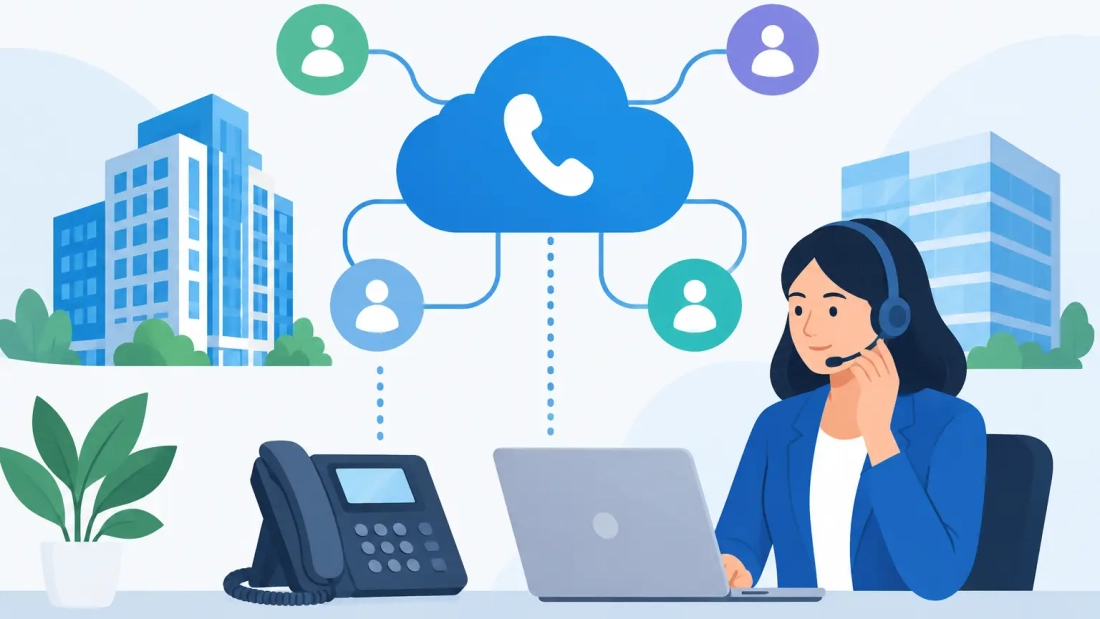
A missed call can be more costly than a phone issue. It can mean a delayed service request, an unanswered sales inquiry, or a customer who decides to call a competitor instead. This SIP trunking guide explains how businesses can replace aging phone lines with a more flexible calling foundation while protecting the uptime their operations depend on.
SIP trunking is not a one-size-fits-all purchase. The right setup depends on your call volume, office locations, existing phone system, internet connection, and tolerance for downtime. For South Florida organizations using cloud applications, video meetings, remote staff, and customer-facing phone lines, those details matter before any number is moved.
What SIP Trunking Does for a Business
SIP stands for Session Initiation Protocol. A SIP trunk is a virtual phone connection that carries voice calls over an IP network instead of relying on traditional analog lines or on-site PRI circuits. In practical terms, it connects your business phone system to the public telephone network through your internet service.
Unlike a physical phone line, a SIP trunk can scale without installing a separate line for every additional call path. If your office has 20 employees but only needs 10 concurrent external calls at its busiest time, service can be configured around that actual need. If seasonal demand, a new location, or a growing service team changes the equation, capacity can be adjusted.
SIP trunks can support inbound and outbound calling, local and toll-free numbers, direct-dial numbers, call routing, and failover rules. They are often used with an on-premises IP-PBX, a hosted PBX platform, or a hybrid phone environment. The technology is established, but the quality of the business result comes down to network design and support.
Why Businesses Move Away From Traditional Phone Lines
Traditional phone services can be dependable, but they are usually less adaptable and may become expensive as an organization adds users, locations, or calling capacity. A SIP-based approach gives operations teams more control over how calls are delivered and where they go.
For a multi-location business, calls can be routed between offices without treating each location as an isolated phone system. For a team with remote employees, a business number can ring a desk phone, desktop application, or mobile device based on defined rules. If an office loses power or connectivity, inbound calls can be redirected to another site, a mobile group, or an answering service.
The cost benefit is real for many organizations, but it should not be the only reason to make the change. Savings can disappear if the internet connection is congested, call capacity is undersized, or a provider cannot respond when an outage affects customers. A lower monthly rate is not a substitute for a reliable design.
SIP Trunking Guide: Start With Call Capacity
The most common planning mistake is confusing the number of employees with the number of simultaneous calls. SIP trunk capacity is typically measured in concurrent call paths, also called channels. One channel supports one active call at a time.
A 30-person office does not automatically require 30 channels. A professional services office may only have five to eight external calls happening at once. A busy call center, medical practice, property management company, or service dispatch operation may need substantially more capacity because calls peak at predictable times.
Review your busiest periods rather than relying on average daily use. Look at reception call activity, sales campaigns, shift changes, appointment reminders, inbound support queues, and conference calling. Then leave room for growth and unexpected spikes. Capacity planning should protect service levels without paying for unused channels indefinitely.
Call paths also affect outbound dialing limits. If a business has more staff than available channels, employees may hear a busy signal or encounter failed call attempts during a peak period. That may be acceptable in a low-call-volume environment, but it is a direct operational risk for teams that depend on fast customer response.
Your Internet Connection Is Part of the Phone System
Voice over IP calls use relatively little bandwidth per call, but bandwidth is only one piece of call quality. A network can have plenty of speed and still produce choppy audio when it experiences congestion, packet loss, latency, or jitter.
That is why business-grade connectivity matters. Voice traffic should have a clear path through the network, especially when employees are also using video conferencing, cloud software, file transfers, security cameras, and off-site backups. Symmetrical fiber internet is particularly useful for organizations with heavy upload requirements, remote collaboration, or a hosted phone platform.
A practical readiness review should cover five areas:
- Available bandwidth during the busiest business hours, not just the speed shown in an after-hours test
- Network quality indicators, including latency, jitter, and packet loss
- Quality of Service settings that prioritize voice traffic when the connection is under pressure
- A properly configured firewall that supports SIP traffic without introducing avoidable call problems
- Backup connectivity and power protection for phone-critical operations
Quality of Service can help prioritize calls, but it cannot repair an overloaded or unstable connection. Likewise, a secondary internet circuit is valuable only if your phones, routers, switches, and Wi-Fi equipment can remain powered during an electrical interruption. Business continuity planning has to account for the full path from the caller to your people.
Hosted PBX, On-Premises PBX, or a Hybrid Setup?
SIP trunks are compatible with different phone system models. The best choice depends on what you already own, how much control you need, and who will manage the environment.
A hosted PBX moves call control to the cloud. It is often a strong fit for businesses that want predictable administration, remote-user support, and fewer on-site phone system responsibilities. Employees can use physical desk phones, softphones, or mobile applications, and administrators can often update call routing without changing hardware.
An on-premises PBX can make sense for organizations that have already invested in a capable system, need specialized integrations, or prefer local control. It may require more internal IT involvement, as well as a clear support plan for software updates, security, and hardware failures.
A hybrid model can preserve certain existing systems while extending cloud calling to new locations or remote employees. This can reduce immediate disruption, although it can also add complexity. The goal is not to choose the newest architecture. It is to choose the model that supports reliable calling, sensible administration, and your business continuity requirements.
Plan Number Porting Before the Cutover Date
Your published phone numbers are business assets. Customers, vendors, online listings, printed materials, and long-standing contacts may all rely on them. Number porting allows a business to move existing numbers to a new provider, but the process requires accurate records and realistic timing.
Start by confirming the exact account information associated with each number. A mismatch in the legal business name, service address, account number, or authorized contact can delay the port. Do not cancel your current service before the port is complete. In most cases, that cancellation can cause the number to be lost or complicate the transfer.
A well-run cutover includes a test plan. Teams should verify inbound calls, outbound calls, caller ID, voicemail, auto attendants, hunt groups, emergency calling information, and failover behavior. Reception, sales, support, and field staff should know what is changing and who to contact if a call issue appears.
Build Failover Around Real Failure Scenarios
A SIP trunk can support continuity strategies that traditional lines may not offer as easily, but only when those strategies are configured in advance. Ask what happens if the internet circuit fails, the PBX becomes unavailable, a power outage affects the office, or an entire site is inaccessible.
For many businesses, the answer is automatic call forwarding to mobile devices, a second office, or a designated overflow team. Others may use a backup internet circuit that keeps cloud phones online. Larger organizations may need geographic redundancy, separate network paths, and documented escalation procedures.
The right level of redundancy depends on the cost of a missed call. A small office may be comfortable with mobile forwarding during a rare outage. A healthcare office, legal intake team, hospitality operation, or dispatch center may need a more structured design because call interruption affects service delivery immediately.
Questions to Ask a SIP Trunk Provider
Before selecting service, focus on accountability as much as features. A provider should be able to explain how service is provisioned, what call quality depends on, and who owns support when an issue crosses the phone system and network boundary.
Ask about concurrent call capacity, number porting timelines, emergency calling support, monitoring, uptime commitments, support hours, escalation procedures, and options for failover. Also ask whether the provider can assess your current connection and LAN before deployment. A provider that only sells trunks without discussing network readiness may leave your team to diagnose avoidable problems later.
For businesses across Miami-Dade, Broward, and Palm Beach County, local service coordination can be especially valuable when a new circuit, office move, or on-site troubleshooting is involved. AWBC approaches voice and connectivity as connected parts of daily operations, not separate services competing for responsibility.
Make the Change When the Business Is Ready
A successful SIP trunk deployment is usually quiet. Customers keep reaching the right people, employees can place and receive calls without thinking about the underlying technology, and managers have clearer control when schedules, locations, or call volumes change.
Start with an honest review of your busiest call periods, your network condition, and the consequences of an outage. From there, a phone system can become a dependable extension of how your business serves customers, rather than another source of uncertainty.