
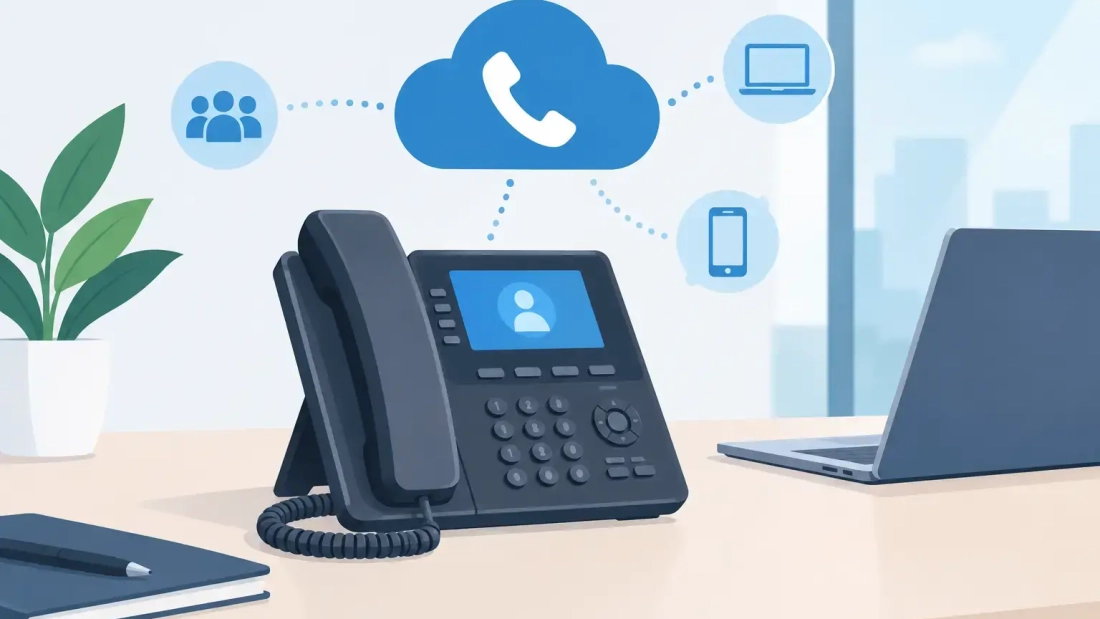
A front-desk employee should not have to manage customer calls from a personal cell phone just because the company moved to cloud voice. So, can VoIP use deskphones? Yes. In fact, deskphones remain one of the most practical ways for many businesses to use VoIP, combining familiar handset hardware with the flexibility of a cloud-based phone system.
For offices in South Florida, the question is less about whether deskphones work with VoIP and more about choosing the right phones, network setup, and service plan for dependable daily calling. The right configuration supports clear conversations, easy call transfers, remote extensions, and business continuity without forcing every employee to change how they work.
Can VoIP Use Deskphones in a Business Office?
VoIP can use deskphones as long as the phones are designed for internet-based calling or are connected through the appropriate adapter. Instead of sending voice calls through traditional copper telephone lines, VoIP converts voice into digital data and sends it over the business internet connection.
A VoIP deskphone looks and works much like a conventional office phone. Employees can lift the handset, place callers on hold, transfer calls, use speakerphone, check voicemail, and access extension directories. The difference is behind the scenes: the phone connects to the local network, then to the hosted PBX platform.
That distinction matters because the phone system is no longer tied to a single physical line at the office. A user can often keep the same extension across a deskphone, mobile app, and computer softphone. If a salesperson is working from home, a receptionist is covering a second location, or an office needs to reroute calls during an outage, the cloud phone system can adapt without a technician rewiring every station.
What Type of Deskphone Works With VoIP?
The simplest option is an IP deskphone. These phones connect directly to an Ethernet network and are built to register with a VoIP or hosted PBX service. They typically include Ethernet ports, a display screen, programmable buttons, and support for common business calling features.
Many IP phones use Power over Ethernet, commonly called PoE. With PoE, one Ethernet cable carries both network data and electrical power to the phone. This reduces cable clutter at workstations and can make installation easier, particularly when an office is setting up multiple phones at once.
Some organizations have traditional analog deskphones they would prefer to keep. Those phones may work with VoIP through an analog telephone adapter, or ATA. The adapter connects the analog phone to the network and translates its signals for VoIP service. This can be useful for a limited number of existing devices, such as a lobby phone, fax machine, alarm panel, or specialty equipment.
However, adapters are not always the best long-term answer for every extension. An analog phone connected through an ATA may not support the same display functions, programmable keys, call presence indicators, or advanced integrations available on a modern IP deskphone. For a growing business, replacing outdated phones can provide a cleaner user experience and fewer compatibility concerns.
Not Every Internet Phone Is Automatically Compatible
A deskphone must be compatible with the selected VoIP platform and properly provisioned for the business account. Compatibility can depend on the phone manufacturer, supported protocols, firmware version, and the service provider’s configuration requirements.
This is why buying a collection of used phones without checking compatibility can create avoidable problems. A phone may power on and connect to the network but still fail to register, lack feature support, or require manual programming. A business should confirm the supported phone models before making a hardware purchase, especially for a multi-site rollout.
How VoIP Deskphones Connect
A typical VoIP deskphone connects by Ethernet cable to a network switch, router, or wall jack connected to the business network. Once it receives power and an internet connection, it securely registers with the hosted phone platform. Calls can then be placed and received using the assigned phone number and extension.
For offices with a dedicated network switch, PoE-capable ports can power compatible phones directly. Where PoE is not available, each phone may use its own power adapter. Wireless deskphones also exist, but wired Ethernet is generally the more dependable choice for primary office extensions because it avoids the congestion and signal variability of Wi-Fi.
Call quality depends on more than the phone itself. The internet connection, firewall settings, local network design, available bandwidth, and traffic management all affect performance. A business running voice, video conferencing, cloud applications, security cameras, and large uploads on the same connection needs enough capacity to prevent voice traffic from competing with everything else.
For this reason, business-grade fiber with symmetrical upload and download speeds can be a strong fit for offices that rely heavily on cloud communications. Upload capacity is particularly relevant for voice and video calls, cloud backups, file sharing, and remote collaboration happening at the same time.
The Network Requirements That Protect Call Quality
VoIP calls do not usually consume large amounts of bandwidth per call, but they are sensitive to delay, jitter, and packet loss. A brief slowdown that goes unnoticed during web browsing can cause choppy audio, clipped words, or call drops.
Businesses should evaluate the quality of the connection, not simply the advertised speed. A properly managed business network should provide stable performance during peak usage, prioritize voice traffic when appropriate, and have enough headroom for growth. If an office routinely has calls affected when employees upload files or join video meetings, the issue may be network congestion rather than the deskphones.
Reliability planning should also include power and internet outages. Since VoIP deskphones depend on both, a power interruption can take phones offline even if the internet service remains available. An uninterruptible power supply can keep critical networking equipment and a limited number of phones operating through short outages. For larger organizations, failover connectivity and automatic call forwarding offer additional protection.
A hosted PBX can help maintain customer access when the office cannot take calls normally. Incoming calls can be redirected to mobile devices, alternate locations, voicemail, or designated teams. That is a meaningful operational advantage over a phone system that is tied entirely to an on-premises box and physical lines.
When Deskphones Are Better Than Softphones
Softphone apps are useful, particularly for remote and mobile employees. They allow users to make and receive business calls from a laptop or smartphone. But they are not always the best replacement for a physical deskphone.
Deskphones are often preferable for reception areas, customer service teams, executive assistants, medical or professional offices, and employees who handle calls throughout the day. A dedicated handset is easy to use, remains separate from personal notifications, and gives workers tactile controls for hold, transfer, park, and speed dial. It also presents a more consistent experience for visitors and employees who share a common workstation.
The practical answer for many organizations is not deskphones versus softphones. It is both. A deskphone can serve as the employee’s primary office device, while a mobile and desktop app keeps that same extension available when the employee is away from the desk.
Planning a VoIP Deskphone Deployment
Before deploying phones, review how calls move through the business. Identify which teams need dedicated deskphones, which employees need mobile access, how incoming calls should be routed, and who needs features such as call recording, auto attendants, voicemail-to-email, or multi-location dialing.
Then assess the network. Confirm that cabling, switches, power, firewall configuration, and internet capacity can support the expected number of simultaneous calls. This is also the right time to decide how the business will handle outages and whether critical departments need backup connectivity or call-forwarding rules.
For a small office, the setup may be straightforward: a few IP phones, a managed cloud phone plan, and a reliable fiber connection. For a larger company, deployment may involve phone templates, department call queues, extension groups, network segmentation, and staged installation across several locations. The underlying goal is the same: make communication easy for employees and dependable for customers.
AWBC helps South Florida businesses align hosted PBX and connectivity decisions with the way their teams actually work. The best deskphone setup is not the one with the longest feature list. It is the one that keeps calls clear, routes customers to the right people, and continues supporting the business when conditions are less than ideal.