
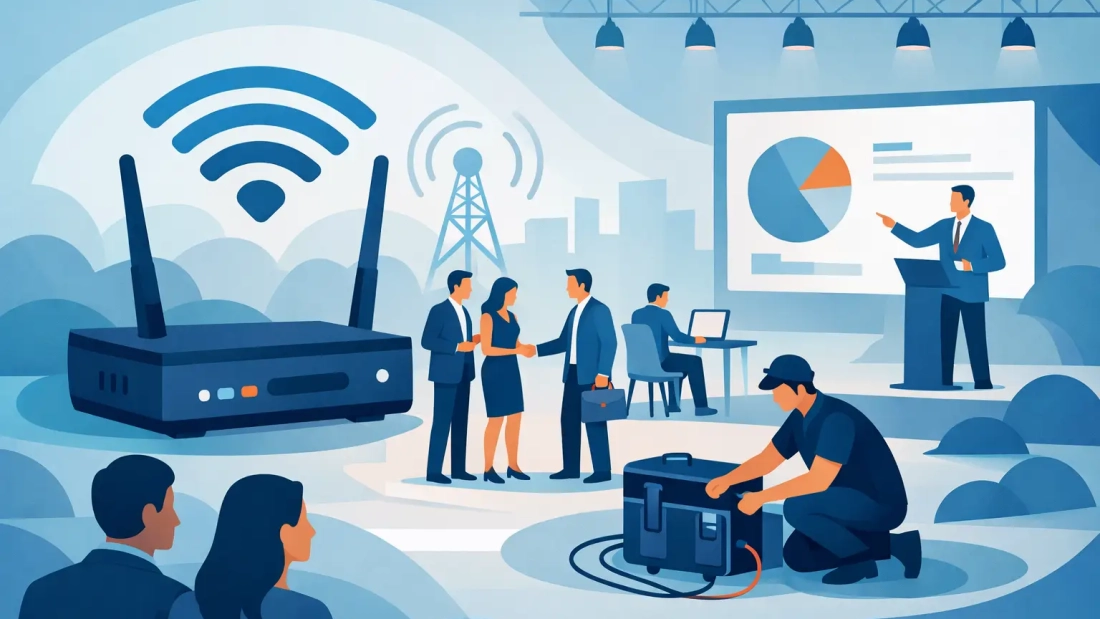
A registration line that stalls, a payment terminal that drops, or a presenter who cannot load a live demo can change the tone of an event quickly. Temporary wifi for business event planning is not an accessory to handle at the last minute. It is operating infrastructure for the people, devices, and systems that make the event work.
For a client meeting, trade show, corporate training, product launch, or outdoor activation, the right connection supports the experience without becoming part of it. Attendees connect, staff communicate, presentations run, and transactions process as expected. The wrong connection creates a visible problem that pulls attention away from the event itself.
Why temporary wifi for business events requires planning
Venue internet is not always business-ready internet. Some locations offer a shared guest network that works for email but slows down when a room of attendees begins uploading photos, joining video calls, checking in through an app, or using cloud-based point-of-sale systems. Other venues have strong connectivity in one room and weak signal at the registration desk, exhibit hall, patio, or loading area.
The number of people in the room is only one part of the demand. A group of 100 attendees may bring 200 or more connected devices when phones, laptops, tablets, scanners, card readers, and staff equipment are counted. A high-resolution livestream, virtual speaker session, or media upload can consume more capacity than dozens of casual users.
Business events also have little tolerance for recovery time. At an office, a connection issue may affect a manageable number of employees. At an event, it can disrupt guests, vendors, presenters, and customer-facing operations at the same time. That is why a temporary network should be designed around the actual event workflow, not just a general promise of WiFi.
Start with what the network must support
Before selecting bandwidth or equipment, identify the systems that cannot fail. Registration platforms, payment processing, presentation systems, production communications, video conferencing, live streaming, exhibitor access, and staff operations do not all need the same level of performance.
A simple event with email, web browsing, and a small staff may need far less capacity than a conference with live demos and hundreds of attendees. On the other hand, an executive meeting with only 30 people may require a more controlled connection if it includes confidential files, high-quality video, and hybrid participation.
A useful planning conversation should cover four distinct areas:
- Expected attendee count, staff count, and likely number of devices per person
- Business-critical applications such as registration, payments, livestreaming, or cloud demonstrations
- The physical layout, including indoor rooms, exhibit spaces, outdoor areas, and locations where coverage is essential
- The event schedule, including setup, rehearsals, live sessions, teardown, and any need for connectivity before or after guest hours
These details help determine whether a single connection is sufficient or whether the event needs multiple access points, separate networks, dedicated bandwidth, or backup connectivity.
Separate critical traffic from guest access
A shared network puts every device into the same traffic pool. That can be acceptable for a small informal gathering, but it is a risk when operations depend on the connection. A guest downloading large files or starting a personal video stream should not interfere with a card reader or a speaker joining a remote panel.
Separate networks allow event teams to prioritize what matters. Staff devices, production equipment, registration systems, and payment terminals can operate on a protected network, while attendees receive their own guest access. Exhibitors may need another network if they are demonstrating cloud software or processing sales.
This approach improves both performance and accountability. If guest usage rises during a break, the event team can manage that traffic without compromising business-critical services.
Bandwidth is more than a speed number
Event organizers often ask how much internet speed they need. The honest answer is that it depends on concurrent use, application type, and the performance required at peak moments. The most demanding period may be the first 20 minutes, when attendees arrive, connect their devices, scan QR codes, and access event materials at once.
Video is usually the biggest bandwidth variable. A single high-quality livestream upload can require meaningful and consistent upload capacity. Multiple video calls, hybrid sessions, social media uploads, and cloud-based demonstrations add demand in both directions. For these uses, symmetrical service matters because upload speed is as operationally important as download speed.
Capacity should also include room for change. Attendance can increase, a presenter may switch to a live demo, or an exhibitor may need an additional device. Planning for only the best-case scenario can leave no margin when the event becomes busy.
Dedicated internet can be the better choice for events with production-level needs, sensitive business systems, or a large number of simultaneous users. It provides more predictable performance than a shared service, particularly when paired with network management and support. For a lower-demand event, a well-designed temporary WiFi deployment may deliver the right balance of cost and capability.
Coverage depends on the space, not just the service
A fast connection at the network source does not guarantee strong WiFi throughout the venue. Walls, glass, concrete, metal structures, ceiling height, equipment, and large crowds all affect wireless signal quality. Outdoor events add distance, weather exposure, power availability, and changing layouts to the equation.
Access point placement should reflect where people will actually work and gather. Registration tables, speaker areas, backstage production zones, exhibit booths, and VIP spaces often need different coverage priorities. A venue walkthrough or floor plan review can reveal trouble spots before the day of the event.
This is especially relevant in convention spaces, hotels, warehouses, retail locations, and temporary outdoor setups across South Florida. A network that performs well in an empty room can behave differently once the room is filled with people and devices. Testing during setup is the practical way to confirm signal strength, capacity, and application performance where it counts.
Security should match the event’s business risk
Public event WiFi can expose devices and data when it is not configured carefully. The risk is higher if staff are accessing business email, customer information, payment systems, or internal cloud applications. Convenience matters, but it should not come at the expense of basic network control.
At minimum, business operations should be separated from public guest access. Strong authentication, appropriate password practices, network segmentation, and firewall controls help limit unnecessary exposure. For high-profile events or those handling confidential information, the network design may require additional controls and a more restricted access model.
Security is also about the physical environment. Network equipment should be positioned where it cannot be unplugged, moved, or accessed by unauthorized people. Event staff should know who to contact if a device cannot connect or a network issue appears, rather than sharing passwords or changing settings on the fly.
Do not treat support as an afterthought
A temporary deployment has a defined start time, and event issues do not wait for normal business hours. A provider should understand the event schedule, arrive with enough time for installation and testing, and have a clear support plan during the period when connectivity is needed.
Ask who is responsible for setup, whether on-site assistance is available, how support is reached, and what happens if the primary connection has an issue. Backup options may include a secondary wired connection or cellular failover, depending on the venue and the importance of uninterrupted service.
The right level of redundancy depends on the cost of downtime. For a casual internal gathering, a backup may be optional. For an event processing sales, supporting a live broadcast, or hosting customers and partners, a secondary path can be a sensible operational safeguard.
Build the timeline around setup and testing
Temporary internet should be installed before the first attendee arrives. That seems obvious, yet setup windows are often compressed by venue access, staging, vendor deliveries, and production rehearsals. The network needs time to be installed, configured, tested, and adjusted under realistic conditions.
Test the systems that matter rather than relying on a speed test alone. Process a sample registration, run a card transaction, join the planned video platform, load the presentation, and test coverage at each critical location. If the event includes streaming, test the actual streaming workflow with the expected video settings.
AWBC approaches event connectivity as a business operations requirement, helping South Florida organizations align temporary internet with the size, location, and technical demands of the event. The goal is not simply to provide a signal. It is to give staff, guests, and vendors a connection that supports the work they came to do.
A well-planned event network is rarely noticed, and that is exactly the point. Define the critical workflows early, account for peak demand, protect essential traffic, and leave time to test the real experience before doors open. That preparation gives your team one less issue to manage when every minute on site matters.