
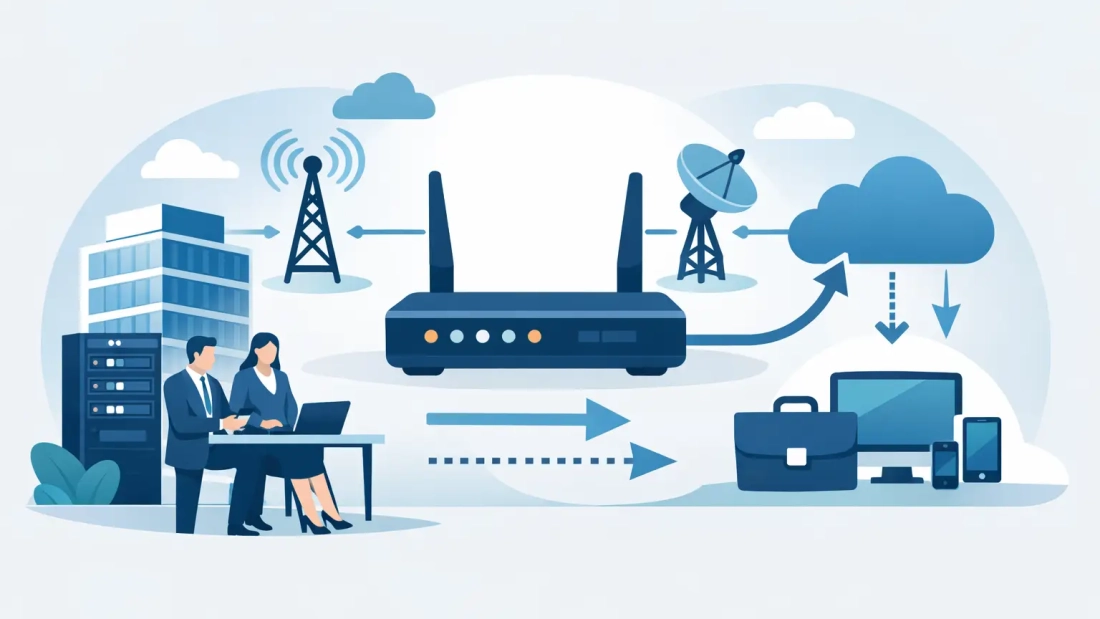
A 20-minute internet outage can stop far more than web browsing. It can interrupt customer calls, payment processing, cloud applications, security systems, remote access, and scheduled video meetings. Learning how to set up failover internet gives your business a planned response before a primary connection goes down, rather than forcing your team to improvise when operations are already under pressure.
Failover internet is a secondary connection that automatically takes over when the primary internet circuit becomes unavailable. The goal is not simply to have another line in the building. The goal is to keep essential business traffic moving with minimal disruption and restore normal operations automatically when the primary service returns.
Start With the Cost of Downtime
The right failover design depends on what must remain online during an outage. A small office may only need email, cloud phone service, credit card terminals, and basic access to business applications. A larger organization may need multiple sites, hosted servers, VPN access, security cameras, guest Wi-Fi, and dozens or hundreds of active voice calls.
Before choosing a backup circuit, identify the systems that affect revenue, customer service, safety, or productivity first. This step prevents a common mistake: buying a backup connection based only on advertised download speed, then discovering it cannot support the traffic that matters most.
Consider four practical questions:
- Which applications must continue working if the primary connection fails?
- How many employees need to remain connected at the same time?
- Do voice calls, video conferencing, payment systems, or cloud backups require guaranteed upload capacity?
- How long can the business tolerate slower performance while operating on backup service?
A law office may prioritize cloud document access, VoIP phones, and client communications. A retail location may prioritize point-of-sale systems and inventory access. A medical, logistics, or financial organization may require more capacity and tighter recovery expectations. The backup connection should be sized around those real requirements, not around a generic package recommendation.
How to Set Up Failover Internet Step by Step
A dependable setup combines two internet connections with a router or firewall that can monitor both and switch traffic automatically. The equipment does the work in the background, but the design decisions determine whether failover performs as expected.
Choose a Primary and Secondary Connection
Your primary circuit should be the connection that supports normal daily operations. For businesses with high cloud usage, conferencing, large transfers, and hosted voice, a business fiber connection with symmetrical speeds is often the right foundation. Symmetrical capacity matters because modern offices upload as much as they download through video calls, cloud backups, file sharing, and software platforms.
The secondary circuit should use a different path wherever possible. This is called diversity. If both services rely on the same cable route, building entrance, utility pole, or upstream network, a single physical incident may affect both connections.
For example, a fiber primary paired with fixed wireless or 5G business internet can protect against a local fiber cut. In another location, two wired services delivered through independently routed infrastructure may be appropriate. Cable internet can be a cost-effective backup for some offices, while cellular can provide fast deployment and geographic separation.
No backup type is automatically best. Cellular and fixed wireless may have variable performance or data considerations. Cable can be shared and may offer lower upload speeds. A second fiber circuit can deliver excellent performance but may not provide true protection if it follows the same physical route as the primary. Ask specifically how each service enters the building and whether the routes are independent.
Use a Dual-WAN Router or Business Firewall
A standard consumer router usually cannot deliver the monitoring, policy control, and reliability a business needs. Use a dual-WAN router, SD-WAN appliance, or business firewall with at least two internet interfaces. This device connects to both providers, regularly tests the primary connection, and redirects traffic to the backup when it detects a failure.
The monitoring method matters. A router that only checks whether its local gateway responds may miss a wider provider outage. Better configurations test reliable external destinations, often using more than one target. If those tests fail for a defined period, the firewall marks the primary circuit unavailable and shifts traffic to the secondary connection.
Set the detection interval carefully. Very aggressive settings can trigger a switch during a brief packet-loss event. Settings that are too slow leave staff waiting through an outage. A qualified network provider can tune these thresholds based on the stability of your circuits and the sensitivity of your applications.
Prioritize Essential Traffic on the Backup Circuit
When failover activates, the backup connection may have less capacity than your primary service. That is normal. The purpose of backup internet is business continuity, not necessarily identical performance.
Configure quality of service policies to favor traffic that keeps operations moving. Hosted PBX calls, payment terminals, VPN access, business-critical cloud applications, and essential video meetings should take priority over guest Wi-Fi, entertainment streaming, large nonessential downloads, and scheduled backups.
You can also create a separate guest network that is disabled or heavily limited during a failover event. This protects available bandwidth for employees and customers who need it. For larger environments, application-aware firewall policies can control traffic at a more detailed level.
Plan for IP Addresses, VPNs, and Voice Services
A switch to a secondary internet provider can change your public IP address. This may affect remote access, site-to-site VPN tunnels, security allowlists, and systems that only accept connections from a known address.
Review these dependencies before deployment. Some businesses use dynamic DNS, cloud-managed VPN solutions, or firewall configurations that automatically re-establish tunnels after a connection change. Others may need a static IP address on both services or a more advanced SD-WAN design to maintain connectivity between sites.
Hosted phone systems also deserve attention. Calls already in progress may drop when the network changes, even if new calls reconnect quickly. A properly configured cloud voice platform can still help employees continue taking calls from desk phones, softphones, or mobile devices once the backup connection is active. Test this behavior instead of assuming it will work the same way across every device.
Test the Failover Setup Before You Need It
Failover is only reliable when it has been tested under realistic conditions. Schedule a controlled test after installation, then repeat it on a regular basis. Unplugging the primary circuit or disabling its WAN interface is often the simplest method, but coordinate the test to avoid disruption during critical business hours.
During the test, verify that the firewall detects the outage, that the backup circuit becomes active, and that priority applications remain usable. Place and receive calls, access key cloud systems, process a test transaction if applicable, connect through the VPN, and confirm that remote employees can reach the resources they need.
Also test recovery. When the primary circuit returns, your equipment should either switch traffic back automatically or remain on backup until an administrator approves the change. Automatic failback is convenient, but a short period of instability on the primary line can cause repeated switching. In some environments, manual or delayed failback is the better operational choice.
Document the results, including failover time, application issues, and any workarounds required. Keep that record available to IT staff, office managers, and leadership. A simple runbook turns an outage from a high-stress event into a known procedure.
Avoid the Gaps That Undermine Backup Internet
Internet redundancy does not protect against every source of downtime. Your router, switches, Wi-Fi access points, phone equipment, and power supply can still create a single point of failure. If power loss is a concern, use an uninterruptible power supply for core network equipment and consider generator coverage for longer outages.
It is also worth separating service redundancy from provider redundancy. Two services from the same provider may be easier to manage, but they may share network infrastructure. Two providers can improve diversity, but support and troubleshooting may involve more coordination. The right choice depends on your location, building access, budget, and downtime tolerance.
For South Florida businesses, local conditions also matter. Construction activity, severe weather, building power issues, and last-mile infrastructure can affect connectivity. A failover plan should account for the risks most likely to affect your specific site, not just the risks described in a standard network diagram.
A well-designed failover connection gives your team time to keep serving customers while the primary service is restored. The most useful next step is to map your critical applications, confirm the physical diversity available at your address, and test the plan as seriously as you would any other business continuity process.