
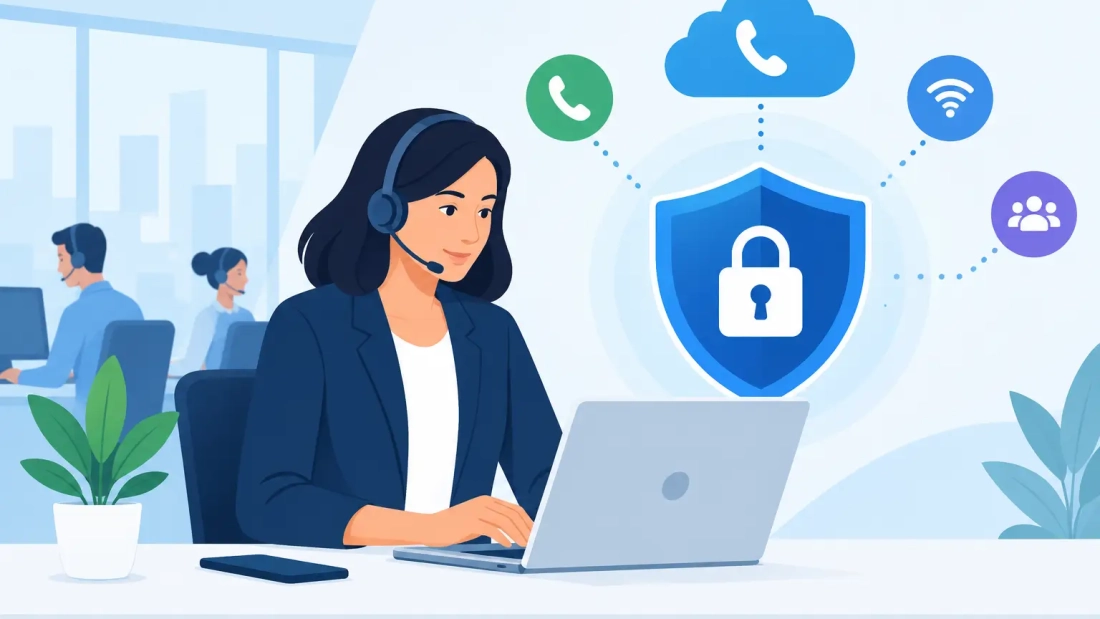
A business phone system is more than a way to answer calls. It carries customer conversations, payment discussions, internal decisions, and sometimes sensitive account information. Knowing how to secure business VoIP means protecting those conversations without making it harder for employees to work across offices, remote locations, and mobile devices.
For South Florida businesses, the question is practical: Can your team keep communicating if a password is compromised, internet service is interrupted, or unusual calling activity appears after hours? A secure VoIP environment combines the right cloud voice platform, disciplined user access, reliable network connectivity, and a clear response plan.
Start With Identity and Access Controls
Most phone system security issues begin with access, not with a sophisticated attack on the phone itself. A reused password, a former employee whose account remains active, or an administrator login shared among several people can expose the entire voice environment.
Every employee should have an individual user account. Shared extensions can still be used for reception desks, conference rooms, or common areas, but administrative credentials should always be assigned to a specific person. This creates accountability and makes it easier to remove access immediately when roles change.
Require strong, unique passwords for the VoIP administrator portal, user accounts, voicemail, mobile applications, and any connected softphone tools. Multi-factor authentication should be enabled wherever the platform supports it, especially for administrators and users who can change call routing, add extensions, review call records, or modify billing settings.
Access should also match the job. A front desk user may need to transfer calls and update availability, while an office manager may need access to auto attendant settings. Neither necessarily needs permission to create new international dialing rules or export system records. Limiting permissions reduces the damage a compromised account can cause.
When an employee leaves, disable their voice account as part of the same offboarding process used for email and business applications. Do not rely on changing a shared password later. Former accounts, unused extensions, and old mobile app sessions are easy to overlook and can become an unnecessary entry point.
Secure Business VoIP at the Network Layer
VoIP call quality and VoIP security both depend on the network carrying the traffic. A consumer-grade connection and an unmanaged office network may work for a small number of calls, but they leave fewer safeguards when the business grows or an incident occurs.
Your firewall should be configured to permit only the voice traffic your provider requires. Avoid opening broad ranges of ports simply because a device installer recommends it. Unnecessary open ports create opportunities for scanning and unauthorized connection attempts. A qualified network provider can configure the firewall, voice settings, and quality-of-service rules for the specific hosted PBX platform in use.
Separate voice traffic from guest Wi-Fi, public-facing devices, and general office traffic when possible. Network segmentation does not make an attack impossible, but it limits how far a problem can spread. If a guest device is infected or an employee accidentally connects an unsafe device, that activity should not have a direct path to phones and voice administration tools.
A business-grade fiber internet connection is also part of the security picture. Symmetrical bandwidth supports consistent call performance in both directions, while service-level support gives your business a clear escalation path when connectivity affects communications. For organizations that rely on calls for sales, dispatch, healthcare coordination, legal consultations, or customer support, dependable connectivity is operational protection.
Remote users need particular attention. Employees should use company-managed devices when feasible and keep their operating systems, softphone applications, and mobile apps current. Public Wi-Fi is not ideal for business calls. If remote staff must use it, a properly configured virtual private network and multi-factor authentication reduce exposure.
Protect the Phone System From Toll Fraud
Toll fraud occurs when an unauthorized person gains access to a voice system and places expensive calls, often outside business hours. It can result in a large bill before anyone notices. Cloud-based voice systems can reduce some risks compared with older on-premises equipment, but fraud prevention still requires deliberate configuration.
Review calling permissions extension by extension. Most employees do not need international dialing, premium-rate calling, or unrestricted long-distance access. Restrict these destinations by default, then enable them only for the users or departments with a legitimate business need.
Set spending thresholds and automated alerts for unusual calling activity. A sudden burst of short calls, calls to unfamiliar destinations, or after-hours international traffic should trigger a prompt review. The faster a business sees abnormal activity, the more likely it is to stop fraud before costs rise.
Call forwarding is another setting worth controlling. A compromised account may be used to forward business calls to an outside number, intercepting customer conversations or creating unnecessary charges. Require approval for external forwarding rules and review existing rules during periodic system audits.
Encrypt Calls and Protect Voicemail
Encryption keeps call signaling and voice media from being easily read if traffic is intercepted. Ask your VoIP provider how it protects signaling, voice streams, user credentials, recordings, and voicemail. Terms such as TLS and SRTP may appear in the technical discussion, but the business question is straightforward: Is sensitive voice data protected while it travels across networks and while it is stored?
Voicemail deserves the same care as email. Messages can contain names, account details, meeting information, and confidential requests. Replace default voicemail PINs, prevent easy-to-guess codes such as extension numbers, and set reasonable lockout controls after repeated failed attempts.
If your organization records calls, establish a retention policy. Keep recordings only as long as business, legal, or compliance requirements demand. Restrict who can listen to, download, or delete them. The more people who can access recordings without a clear reason, the greater the privacy and security risk.
Monitor What Normal Looks Like
Security monitoring is most useful when your team knows what normal phone activity looks like. That includes typical call volumes, normal destinations, regular remote users, and expected changes during seasonal peaks or events.
Review your hosted PBX dashboard and billing records regularly. Look for new administrators, unfamiliar extensions, unexpected forwarding settings, repeated failed login attempts, or changes to call patterns. For larger organizations, it may make sense to route voice-related logs into the same monitoring process used for firewalls, endpoints, and cloud applications.
Your provider should also have a defined support path for suspected incidents. Before a problem happens, know who can request an emergency password reset, disable an extension, block calling destinations, or redirect calls. A local, responsive support team can make a meaningful difference when a customer-facing number is at risk.
Build a Voice Continuity Plan
A secure system must remain usable during an outage. Cybersecurity and business continuity overlap when internet service, power, hardware, or a single office location fails.
Start by identifying the calls that cannot be missed. That may include the main business number, support line, sales queue, emergency dispatch number, or executive line. Configure failover routing so calls can move to alternate users, a backup location, or approved mobile numbers when the primary location is unavailable.
A practical continuity plan should document four actions:
- Who is authorized to change call routing and system access
- Where calls should be redirected during an internet or power outage
- How employees will communicate if their usual softphone or desk phone is unavailable
- Which provider support contacts and account details are needed during an incident
Test the plan instead of assuming the configuration will work. Place a test call after changing failover settings, verify that authorized managers can access the administration portal, and confirm that remote users can receive calls from an alternate location. Testing may expose trade-offs, such as whether calls should ring multiple people at once or follow a defined escalation order.
Make Security a Routine Operating Practice
The strongest VoIP configuration will weaken over time if no one reviews it. New employees are added, vendors need temporary access, call flows change, and remote work arrangements evolve. Schedule a quarterly review of user accounts, administrator permissions, forwarding rules, voicemail policies, and calling restrictions.
Employee awareness matters as well. Staff should know that unexpected password reset messages, unfamiliar softphone login prompts, and requests to change call forwarding settings can be warning signs. They do not need advanced telecom training. They need a clear process for reporting anything that looks unusual before it becomes a service disruption.
A business phone system should help your team respond quickly, serve customers professionally, and continue operating when conditions are less than ideal. When access, network design, monitoring, and continuity planning are handled together, VoIP security becomes part of reliable day-to-day operations rather than another source of risk.