
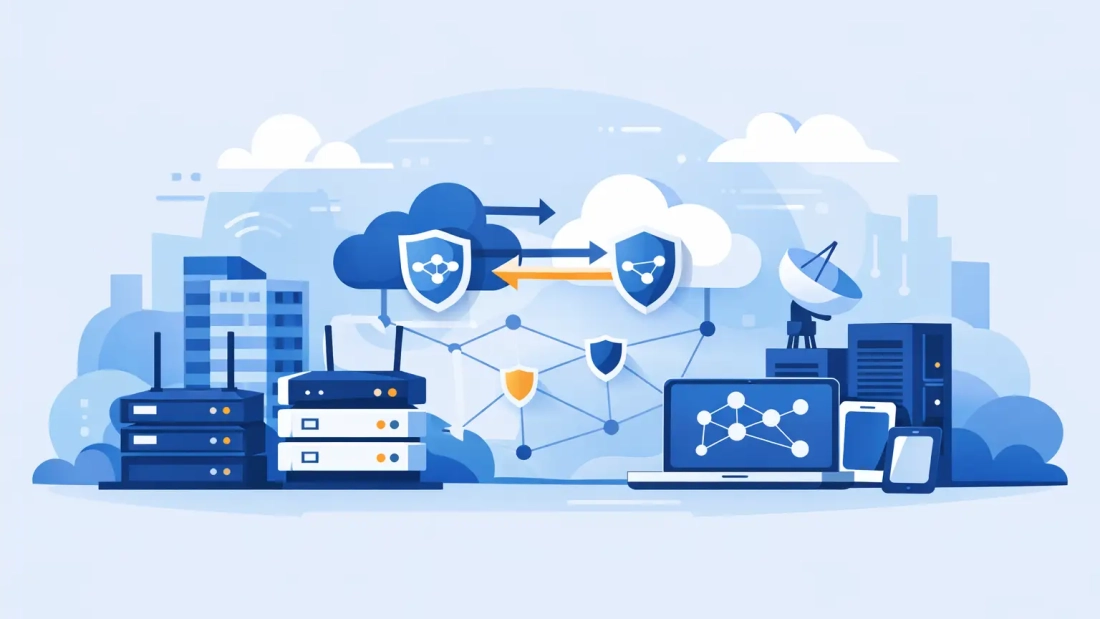
A 20-minute internet outage can look minor on a provider status page. For a business, it can stop credit card processing, disconnect cloud phones, interrupt client meetings, delay orders, and leave employees unable to reach the systems they need. The purpose of this network redundancy planning guide is to help business leaders turn that risk into a clear, practical continuity plan.
Redundancy is not simply buying a second internet connection. A useful plan identifies which business functions must remain available, where a single failure could stop them, and how the organization will operate while primary service is restored. The right design depends on your location, applications, budget, and tolerance for downtime.
What Network Redundancy Actually Protects
Network redundancy provides an alternate path when the primary path fails. That alternate path may be a second wired connection, wireless backup, secondary network equipment, backup power, or a combination of these safeguards. The goal is not necessarily to make every device perform exactly as it would under normal conditions. It is to keep essential work running.
For a small office, the priority may be retaining cloud phone service, payment processing, email, and access to a line-of-business application. A larger organization may need uninterrupted connectivity for multiple sites, VPN access, security systems, hosted applications, and high-volume data transfers. Event venues may require a separate design because hundreds of temporary users can create demand that a normal office backup connection cannot support.
This distinction matters because a backup circuit that handles email may not support full staff video conferencing, cloud backups, and large file transfers at the same time. Define the service level you actually need during an outage before choosing the technology.
Start Your Network Redundancy Planning Guide With Impact
The first step is a short business impact assessment. Ask what stops first when internet service is unavailable and how long each function can be offline before it affects customers, revenue, compliance, or safety.
Separate systems into three groups: essential, important, and deferrable. Essential services are the functions that must stay available, such as point-of-sale terminals, hosted PBX calling, customer support tools, remote access, and critical cloud platforms. Important services may include normal video conferencing and collaboration tools. Deferrable traffic includes large backups, software updates, media downloads, and other work that can wait until the primary connection returns.
This exercise creates the basis for backup bandwidth planning. If the business only needs 25 employees to access a cloud application and make calls during an outage, a secondary connection can be sized around that requirement. If every user must work normally, the backup design must be much closer to primary capacity. Those are different investments, and both can be appropriate.
Also document the acceptable outage window. Some organizations can tolerate a few minutes while automatic failover occurs. Others can work through a short disruption but cannot accept a multi-hour outage. A stated recovery objective helps prevent vague expectations and makes provider, equipment, and support decisions easier.
Remove Single Points of Failure
A second circuit only improves continuity when it avoids the same weaknesses as the first one. This is where many redundancy plans fall short.
For example, two services delivered over the same physical entry point may both be affected by a construction incident, building equipment failure, or local infrastructure problem. Two connections from the same carrier can still be useful, but they may not provide the independence required for mission-critical operations. Ask how each circuit enters the building, whether the routes are physically diverse, and where shared infrastructure may exist.
Provider diversity can add protection when a carrier-level outage affects one network. Access diversity can reduce exposure to a damaged cable path. Technology diversity can pair dedicated fiber with a fixed wireless or 5G backup service. No option is automatically best. Fiber generally provides the consistency and capacity businesses need for primary operations, while cellular or wireless backup can provide a fast, practical alternate path for essential traffic.
The building itself is part of the plan. Confirm that network equipment is protected from accidental disconnection, overheating, water exposure, and unauthorized access. If a router, firewall, or switch fails, a second internet circuit alone will not restore connectivity. Businesses with higher availability requirements should consider spare equipment, support coverage, or managed hardware replacement arrangements.
Design Failover Around Business Priorities
Failover is the process of moving traffic from the primary connection to the backup connection. Manual failover may be acceptable for a low-impact environment, but it relies on someone being present, recognizing the issue, and knowing what to do. Automatic failover is usually the better choice for businesses that rely on cloud calling, payment platforms, remote users, or customer-facing systems.
A properly configured firewall or SD-WAN appliance can monitor the primary connection and shift traffic when it detects a failure. The device should check more than whether a local modem responds. A connection can appear active while it cannot reach the internet or a critical cloud service. Meaningful health checks reduce the risk of remaining stuck on a degraded path.
Traffic policies matter after failover. Give priority to voice, payment processing, VPN access, and critical applications. Limit or pause bandwidth-heavy activity such as backup jobs, operating system updates, large uploads, and nonessential streaming. Quality-of-service settings can help protect call quality and application responsiveness when backup bandwidth is limited.
Hosted PBX planning deserves special attention. If desk phones and softphones depend on the office network, they need a working backup path to continue placing and receiving calls. For deeper continuity, set call-routing rules so that calls can reach mobile devices or alternate locations if the office becomes inaccessible. This protects customer communication even when the disruption is larger than an internet outage.
Plan for Power, Not Just Connectivity
Internet service can be available outside the building while your office remains offline because of a power failure. Network redundancy should include battery backup for the fiber handoff, firewall, switches, Wi-Fi equipment, and phones that require local power. A UPS provides short-term protection and can bridge brief power events, but its runtime must be measured against the equipment load.
For extended outages, businesses may need a generator, an alternate work location, or a mobile work plan. Test whether critical equipment is connected to protected outlets. It is common to find that the router has backup power while the switch or Wi-Fi access point it depends on does not.
Test the Plan Before an Outage Tests It
A redundancy plan is only real when it has been tested. Schedule failover tests at least twice a year and after major network changes. During the test, disconnect or disable the primary path in a controlled window, confirm that traffic moves to backup, and verify that the applications employees use most can still function.
Test voice calls, cloud application access, VPN connectivity, payment processing, guest Wi-Fi policies, and remote management access. Record how long failover took, whether any systems required manual intervention, and whether backup capacity was sufficient. Then test failback to ensure the primary circuit resumes service cleanly without unexpected disruption.
Keep a short outage runbook available to operations staff and IT partners. It should identify the primary and secondary services, equipment location, support contacts, escalation steps, expected failover behavior, and the applications that should be paused during an outage. Clear instructions save valuable time when the office is already under pressure.
Match the Design to the Business
A professional office with cloud phones may need business fiber as its primary connection and a managed wireless backup path with automatic failover. A medical, financial, or multi-site organization may require diverse fiber routes, redundant firewalls, battery and generator support, and active monitoring. A retail location may prioritize payment terminals, cloud phone access, and a limited guest network rather than full office capacity.
South Florida businesses also need to account for weather, building access, and local construction activity. A localized provider can help evaluate service availability, physical routing options, and practical backup choices for a specific property. AWBC works with commercial customers to align connectivity and voice continuity with the way their teams actually operate.
The best redundancy plan is the one employees do not have to think about during a disruption. Define what must stay online, build alternate paths that do not share the same failure point, prioritize critical traffic, and test the design on a regular schedule. When an outage arrives, your team can keep serving customers instead of scrambling to reconnect.