
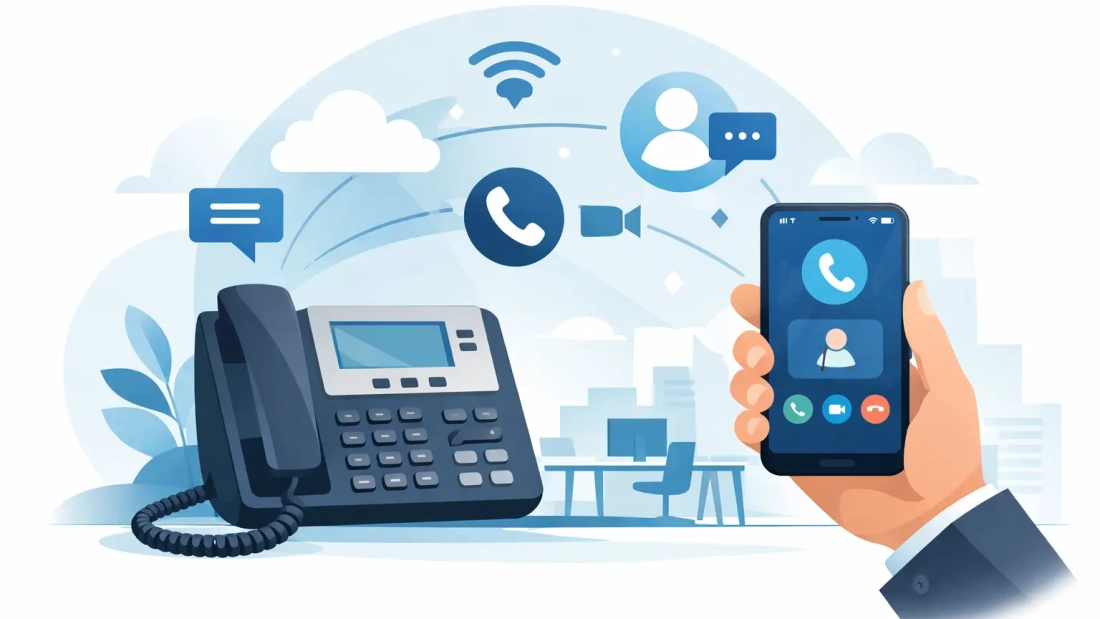
When a customer calls your main business number, they should reach your team quickly – not a personal cell phone, a voicemail black hole, or a desk extension no one is near. That is where an office phone system with mobile app changes the day-to-day reality of running a business. It gives your staff one business calling experience across desk phones, laptops, and smartphones, so calls keep moving even when people are out of the office, between locations, or working from home.
For many South Florida businesses, that matters more than ever. Teams are mobile, offices are distributed, and customers still expect fast answers. A phone system that stops at the front desk or only works from a physical handset creates avoidable delays. A modern cloud-based setup with a mobile app gives your business more flexibility without giving up control, professionalism, or call quality.
What an office phone system with mobile app actually does
At a basic level, this type of system connects your business phone service to a mobile application that employees can use on their smartphones or tablets. Instead of relying only on desk phones, users can make and receive calls through the business number, check voicemail, view call history, and in many cases transfer calls, message coworkers, or manage availability from the app.
That sounds simple, but the operational impact is significant. Your sales manager can answer a call from the company line while visiting a client. Your office administrator can transfer an incoming call from a smartphone to another extension. Your service team can stay reachable during weather disruptions, office moves, or temporary remote work situations.
The result is not just convenience. It is business continuity. Calls continue to flow through the company system instead of fragmenting across personal devices and ad hoc workarounds.
Why businesses are moving away from desk-phone-only setups
Traditional office phone systems were built around fixed locations. That worked when most employees sat in the same place all day and all business happened inside one office. Many businesses no longer operate that way.
Even companies with a physical headquarters now depend on mobility. Owners step out for meetings. Managers travel between sites. Employees work from home part of the week. Support staff may need to stay available after hours or during local emergencies. A fixed system creates friction in all of those situations.
An office phone system with mobile app removes much of that friction while keeping core business features intact. Staff can still use extensions, ring groups, call routing, voicemail, and caller ID tied to the business identity. The difference is that those tools are no longer trapped at a desk.
This is also why many organizations prefer hosted PBX or cloud VoIP platforms over older on-premise systems. They want the flexibility to add users, support multiple locations, and adjust call flows without a costly hardware overhaul. The mobile app becomes one more endpoint in a broader business communications system.
The practical benefits for daily operations
The biggest benefit is responsiveness. If an employee can answer a business call from the mobile app, the customer does not have to wait for a callback just because that person is away from the office. That can shorten sales cycles, improve service response times, and reduce missed opportunities.
There is also a clear professionalism benefit. Outbound calls can display the company number rather than a personal cell number. That helps with brand consistency and keeps business communications organized under the company system. It also protects employee privacy, which matters when team members are using their own devices or working outside standard office settings.
Another advantage is better call management. Many mobile apps tied to business phone platforms include voicemail access, extension dialing, call transfer, and presence features. That means staff can handle calls with more context and fewer manual workarounds. Instead of texting a coworker to say, “Call this client back,” they may be able to transfer the call directly or see who is available.
For leadership teams, the value often comes down to continuity and oversight. Calls are routed through the business system, not scattered across personal numbers. That makes it easier to maintain standards, support customer service workflows, and adapt when staffing or scheduling changes.
Where the mobile app helps most
Some industries feel the benefits faster than others. Professional offices, property management firms, medical-related administrative teams, law offices, financial services firms, and field-service businesses often need to stay reachable while moving between appointments, offices, and job sites. For these organizations, the mobile app is not an extra feature. It is a practical tool for keeping communications aligned with how the business actually works.
It is especially useful for businesses with multiple locations. A company may have one main number, one call routing structure, and one phone system, but employees in different offices or remote roles can still function as part of the same communications environment. That supports a more consistent customer experience.
It also helps during disruptions. Storm season, power issues, office maintenance, or last-minute remote work can all interrupt a desk-based setup. A cloud-based system with mobile access gives your team another path to stay connected when the office is not fully available.
What to look for in an office phone system with mobile app
Not all systems deliver the same business value. Some mobile apps are little more than add-ons, while others are designed as a real extension of the full phone platform. The difference matters.
Start with call quality and reliability. If your app experience is inconsistent, users will fall back to personal phones, and the business loses the control and visibility it wanted in the first place. The underlying voice platform and network connection both play a major role here.
Next, look at feature parity. Can users transfer calls, access voicemail, manage extensions, and present the business number clearly? If the mobile app only covers basic inbound and outbound calling, it may not support your workflows well enough.
Ease of administration matters too. Office managers and IT teams should be able to add users, adjust routing, and manage settings without a long support cycle for every small change. For growing businesses, that flexibility saves time.
Finally, pay attention to support. If phone service is business-critical, responsive provider support is part of the product. A low monthly rate can lose its appeal quickly when call issues take too long to resolve.
The role of internet performance
A mobile-enabled business phone system does not operate in a vacuum. Voice quality, app responsiveness, and user experience all depend on network performance. In-office users on Wi-Fi and desktop apps need stable connectivity, and cloud voice platforms perform better when the business internet connection is built to handle consistent real-time traffic.
That is why companies evaluating phone systems should also look at their connectivity. If your team relies on video conferencing, cloud applications, file transfers, and VoIP at the same time, bandwidth and stability are operational concerns, not technical side notes. Symmetrical business fiber can make a meaningful difference because it supports upload-heavy tasks and two-way communications more effectively than consumer-grade service.
For organizations in South Florida, this becomes even more relevant when uptime directly affects customer response and internal coordination. A strong phone platform paired with dependable business internet creates a more stable communications environment overall.
Trade-offs to think through before switching
A mobile app is not a replacement for every desk phone. Some front-desk roles, call-heavy departments, and shared office environments still benefit from physical handsets. For many businesses, the best answer is a blended setup where desk phones remain in key positions and the mobile app supports mobility elsewhere.
There is also a policy side to consider. If employees use personal smartphones for business calling, your company should define expectations around availability, security, and app usage. The technology solves one problem, but management still needs clear guidelines.
Adoption can vary by team as well. Some employees will use the app constantly. Others may stick with desk phones unless mobility is part of their role. That is normal. The goal is not to force one behavior across every position. It is to create a system that supports how different teams work.
Is this the right fit for your business?
If missed calls, location-based limitations, or disconnected communication tools are slowing your team down, the answer is probably yes. An office phone system with mobile app is a strong fit for businesses that need flexibility without sacrificing structure. It works especially well when you want one business identity across devices, one call flow across locations, and one system that can adapt as your operations change.
For some companies, the trigger is growth. For others, it is hybrid work, customer service pressure, or the need to modernize an aging phone setup. Whatever the reason, the best choice is usually the one that fits your real workflows, not just the one with the longest feature list.
A good provider will help you map the phone system to how your business runs today while leaving room for how it may run six months from now. That practical approach is what turns phone service from a utility into part of your operating infrastructure. If your team needs to stay reachable, professional, and productive wherever work happens, this is one upgrade that tends to prove its value quickly.