
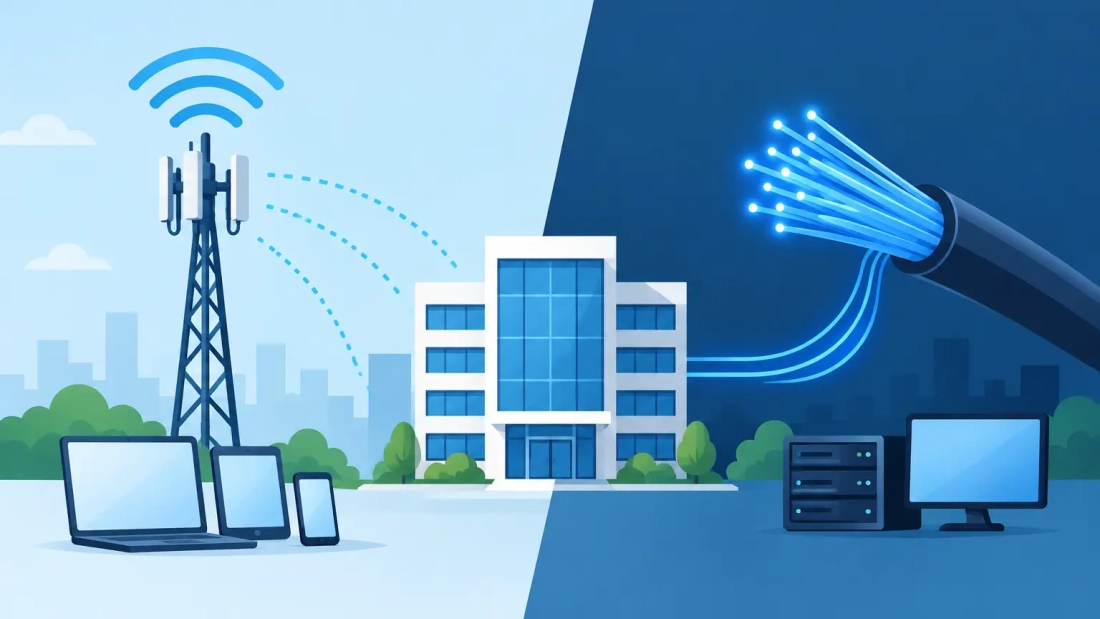
A stalled video meeting, a payment terminal that cannot reach the processor, and cloud files that will not open can all trace back to one problem: the connection your business counted on is unavailable. In a wireless backup versus fiber decision, the right answer is rarely choosing one technology over the other. Fiber is typically the best primary connection for serious business operations. Wireless can be the practical second path that keeps critical work running when that primary circuit has an outage.
For businesses in Miami-Dade, Broward, and Palm Beach County, the question is not simply how much bandwidth you can buy. It is how your organization continues serving customers when a construction cut, equipment failure, building issue, or provider disruption affects the main internet connection.
Wireless Backup Versus Fiber: They Do Different Jobs
Business fiber is a wired connection built for consistent, high-capacity use. It is well suited to organizations that depend on cloud applications, VoIP calls, video conferencing, large uploads, remote access, and frequent backups. With dedicated business fiber, symmetrical upload and download speeds matter because modern teams send as much data as they receive.
Wireless backup commonly uses cellular 4G LTE or 5G service through a dedicated router or gateway. In some locations, fixed wireless may also be available. Its purpose is not necessarily to match fiber performance. Its value is that it uses a different access path, allowing a properly configured network to fail over when the fiber circuit is unavailable.
That distinction changes the purchasing conversation. Comparing the two only on advertised download speed misses the operational goal. A fiber connection supports normal business activity at scale. A wireless backup connection protects essential activity during an interruption.
Why Fiber Is Usually the Primary Connection
Fiber provides the predictability that businesses need during a regular workday. A 500 Mbps, 1 Gbps, or higher fiber connection can support multiple simultaneous video calls, cloud-based phone systems, point-of-sale traffic, security systems, file synchronization, and guest Wi-Fi without forcing teams to constantly manage bandwidth.
Upload performance is especially relevant. Sending large design files, replicating data to cloud storage, hosting video calls, and moving records between locations all rely on upstream capacity. Consumer-class cable and many wireless services can offer fast downloads while providing more limited uploads or performance that fluctuates under network demand.
Fiber also tends to deliver more stable latency and less jitter. Latency is the time it takes data to travel across the network. Jitter is the variation in that travel time. Both affect real-time tools such as voice, video, remote desktops, and virtual private networks. A connection may look fast in a basic speed test but still create choppy calls if latency is inconsistent.
For organizations with uptime requirements, a business fiber service should also come with clear support expectations and a service-level agreement where available. The practical benefit is accountability: your provider is set up to support a commercial environment where an extended outage has a direct cost.
Where Wireless Backup Earns Its Place
A wireless backup connection is valuable because it avoids depending entirely on the same last-mile path as the primary circuit. If a fiber line is cut outside the building, a cellular connection can continue operating through nearby mobile infrastructure, assuming that infrastructure has not been affected by the same event.
When configured for automatic failover, a business-grade firewall or router can detect a primary connection failure and shift traffic to wireless service. The transition may take seconds or minutes depending on the network design and the applications in use. Existing calls or sessions can still drop, but new traffic can often resume quickly without someone having to reconfigure equipment manually.
Wireless backup is a strong fit for businesses that need to preserve a smaller set of essential services during an outage. That may include cloud voice, payment processing, email, messaging, order entry, remote access, and a limited number of workstations. It can also provide temporary connectivity while waiting for a new fiber installation or supporting a short-term event setup.
The goal is continuity, not business as usual at full capacity. A 40-person office running video calls, cloud backups, security cameras, and guest Wi-Fi will need a clear backup policy. Without one, nonessential traffic can consume the wireless connection before critical applications have a chance to use it.
The Trade-Offs That Matter During an Outage
Wireless service can be highly effective, but it has variables that fiber generally does not. Cellular performance depends on local signal strength, carrier capacity, tower congestion, building materials, weather conditions, and the equipment’s placement. A gateway near a window or with properly installed external antennas may perform very differently from one placed in an interior telecom closet.
Bandwidth may also be shared with other users on the carrier network. During a major local event, storm, or widespread outage, demand can increase sharply. This is one reason a wireless backup should be tested under realistic conditions rather than treated as an emergency device that is never used until the day it is needed.
Data usage deserves equal attention. Some wireless plans include thresholds, prioritization policies, or charges that can make prolonged failover expensive. If cloud backup software begins pushing large volumes of data over the backup circuit, the business may face both reduced performance and unexpected costs. Configure backup jobs, software updates, streaming, and guest access to pause or limit when the network moves to wireless.
There are also networking considerations. Some cellular services use carrier-grade network address translation, which can complicate inbound connections, certain VPN configurations, and systems that require a static public IP address. A qualified provider can identify these requirements before deployment and select an appropriate service design.
Build a Fiber and Wireless Failover Plan
The best backup connection is part of a documented business continuity plan. Start by identifying what must remain online for the first hour of an internet outage. For a professional office, that may be hosted PBX, customer communications, secure remote access, and cloud productivity applications. For a retail or hospitality location, payment processing, order systems, and guest-facing operations may take priority.
Next, separate essential traffic from traffic that can wait. Quality-of-service settings can prioritize voice and payment systems over software downloads and entertainment traffic. A managed firewall can apply different rules when the wireless circuit is active, limiting bandwidth-heavy services automatically.
Power is another part of the equation. Fiber equipment, firewalls, Wi-Fi access points, switches, and cellular gateways all need electricity. A battery backup can keep core networking gear operating through a short power interruption. For longer outages, facilities with critical operations may need generator coverage and a plan for maintaining cellular equipment as well.
Finally, test failover on a schedule. Confirm that the router detects the failure, that priority applications work, that staff know what changes to expect, and that the primary circuit resumes cleanly after service is restored. Testing also reveals overlooked dependencies, such as a phone system, security platform, or remote-access tool that requires a specific network setting.
Choosing the Right Design for Your Location
There is no universal wireless backup speed or fiber tier that fits every business. A small office with five employees may need a straightforward fiber connection and a cellular failover device with carefully limited traffic. A multi-site company may require dedicated internet access, managed SD-WAN, redundant carriers, and centralized monitoring.
The building itself matters. Before relying on wireless, assess signal quality at the actual equipment location, not just outside in a parking lot. Before ordering fiber, confirm construction timelines, building entry requirements, and whether the path into the suite creates a single point of failure.
For higher-risk operations, consider provider diversity as well as connection diversity. Two circuits from the same provider or routed through the same local infrastructure may improve capacity but may not protect against every outage scenario. The strongest design uses separate paths where practical and aligns the investment with the cost of downtime.
AWBC helps South Florida businesses evaluate fiber capacity, wireless failover, hosted voice requirements, and the network policies that make backup service useful when it matters.
A reliable connectivity plan should let your team focus on customers rather than wonder what happens when the primary circuit goes down. Put fiber in charge of daily performance, give wireless a defined continuity role, and test the plan before an outage turns a small network issue into an operational one.