
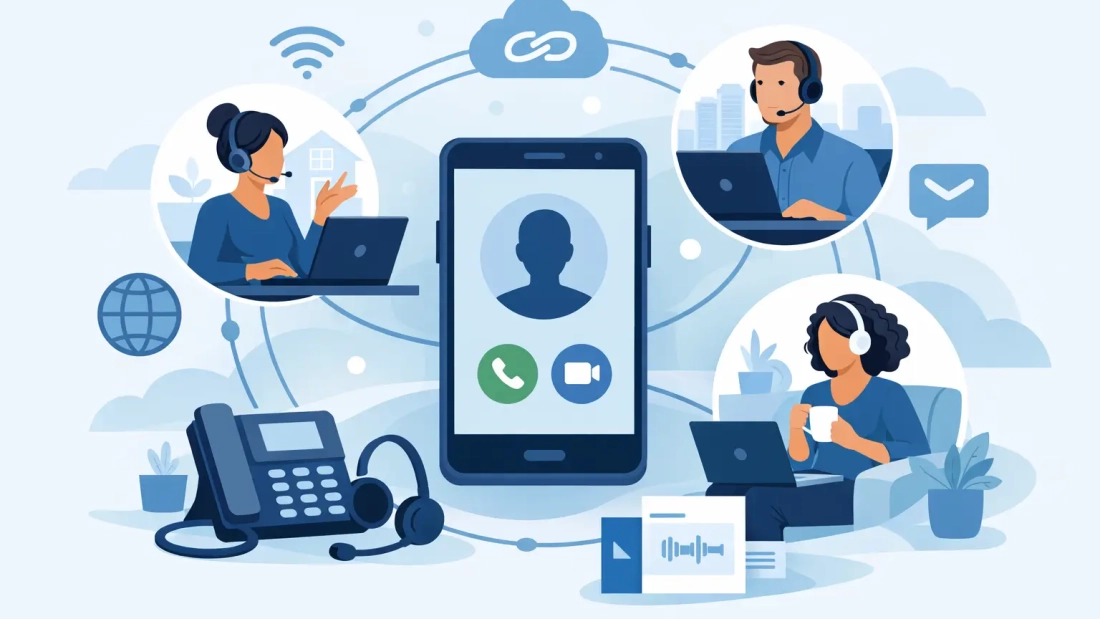
A client calls the main office number at 4:45 p.m. The receptionist is working from home, the account manager is visiting a customer in Broward, and the operations lead is in the Miami office. If the call rings unanswered, the customer experiences a disconnected business. With VoIP for remote teams, the call can follow the right employee, reach a mobile or desktop app, and stay connected to the business number the customer recognizes.
For organizations with people working across homes, offices, job sites, and client locations, the phone system cannot be tied to one desk. It needs to support the way work actually happens while giving management control over call handling, security, and service quality.
What VoIP Changes for a Distributed Workforce
Voice over Internet Protocol, or VoIP, sends business calls through an internet connection instead of traditional phone lines. That technical change has practical consequences for a remote team: employees can use the same business extension from a desk phone, computer, or mobile device without giving customers their personal number.
A cloud-based phone system also centralizes functions that are difficult to manage with separate mobile plans. Administrators can create call queues, set business hours, update greetings, route after-hours calls, and add or remove users from a central portal. A new employee can be assigned an extension without waiting for a physical phone line to be installed at a home office.
The goal is not simply to make calls from anywhere. It is to give customers a consistent experience and give employees a dependable way to communicate, regardless of where they are working that day.
Why VoIP for Remote Teams Improves Daily Operations
Remote work can create small communication gaps that add up quickly. A sales call reaches voicemail because nobody knew who was covering the line. A customer receives a call from an unfamiliar personal cell number. An employee misses an internal transfer while moving between meetings. A properly configured VoIP system addresses these issues with shared visibility and flexible routing.
Presence indicators can show whether a colleague is available, on a call, or away. Call forwarding can direct a main number to the appropriate person or group. Ring groups allow several employees to answer a department line, which is useful for customer service, scheduling, and dispatch. Voicemail can be delivered to email so messages are easier to review when employees are away from a desk.
For leaders, centralized business voice creates consistency. The company keeps its published numbers even when staffing, office locations, or work schedules change. That matters for professional services firms, property managers, medical-adjacent offices, contractors, logistics teams, and any business where a missed call can mean lost revenue or a delayed response.
Keep personal numbers personal
Employees should not have to expose their personal cell numbers to every customer. A VoIP mobile app lets them place and receive calls using the business caller ID. When they leave the company, the business number, call history, and customer contact path remain under company control.
This separation also makes it easier to establish reasonable boundaries. Business hours, voicemail greetings, and call-routing rules can be managed at the system level rather than relying on employees to manually configure their personal devices.
Give customers one dependable front door
Customers generally do not care where an employee is sitting. They care whether the right person answers and whether the business responds promptly. An auto attendant can direct callers to sales, billing, support, or a specific extension. Queues can hold and distribute calls during busy periods instead of sending every caller to a single voicemail box.
Those features help a small team present a more organized customer experience without adding unnecessary administrative work. Larger organizations can use the same tools to standardize call flows across departments and locations.
The Internet Connection Determines Voice Quality
VoIP performance depends on more than the phone system. It depends on the network carrying the calls. A business can have excellent voice features and still experience choppy audio, delay, or dropped calls if the underlying connection is congested or unreliable.
Voice traffic does not require a massive amount of bandwidth per call, but it is sensitive to latency, jitter, and packet loss. In plain terms, calls suffer when data arrives late, inconsistently, or not at all. Video conferencing, cloud backups, large file transfers, and streaming can compete with voice traffic when an office connection has limited upload capacity.
For a primary office or operations hub, symmetrical business fiber can make a meaningful difference. Equal upload and download speeds support video meetings, cloud applications, file sharing, and voice calls at the same time. Unlimited data and business-focused support also reduce the risk that routine operations are constrained by consumer-grade service limitations.
Remote employees have a different set of variables. A home Wi-Fi connection may be adequate for occasional calls but less predictable in a household with multiple users. When call quality matters, a wired connection is preferable to Wi-Fi. Employees should also know how to switch to a mobile data connection if their home internet fails and company policy permits it.
Network design should match the work. A five-person consulting firm may need a dependable main office connection and mobile apps for occasional remote days. A contact-heavy service team may need call queues, network prioritization for voice traffic, monitored connectivity, and a backup internet option. There is no single configuration that fits every operation.
Features Worth Prioritizing
A long feature list can distract from the capabilities that make the biggest operational difference. Start with the workflows your team uses every day, then select features that reduce missed calls and handoffs.
For most remote or hybrid businesses, four areas deserve close attention:
- Business continuity: Call forwarding, failover routing, and voicemail-to-email help keep customer calls moving when an employee, device, or location is unavailable.
- Multi-device access: Desktop and mobile apps give employees flexibility while preserving a consistent business identity.
- Call management: Auto attendants, queues, ring groups, transfers, and business-hour rules direct callers without requiring a live operator for every call.
- Administrative control: A central portal makes it easier to manage users, permissions, extensions, and call-routing changes as the team grows.
Recording, reporting, and CRM integrations can also be valuable, particularly for sales or service teams. However, these tools should be evaluated carefully. Recording may involve consent and retention requirements, while integrations require planning to ensure the data is useful and adoption is realistic.
Plan the Rollout Before Moving Numbers
A VoIP transition is usually straightforward when the business documents its current call flow first. Identify every published phone number, each department or extension, after-hours requirements, and the people responsible for answering urgent calls. Include fax lines, alarms, door systems, payment terminals, and any other equipment that may still rely on traditional phone service.
Number porting deserves special attention. The business should confirm ownership details and account information before submitting a port request. Canceling the old phone service too early can interrupt the process. A staged cutover, with testing before the final move, reduces surprises.
Training should focus on real situations rather than every option in the app. Employees need to know how to answer calls, transfer callers, set their availability, access voicemail, and use the business caller ID from a mobile device. Managers need to know who can adjust routing rules when hours, staffing, or coverage needs change.
At AWBC, the practical starting point is understanding how calls move through the business and whether the supporting connection can handle the traffic. That consultative approach helps avoid buying features that look impressive but do not solve the customer response or continuity problem at hand.
Questions to Ask Before Selecting a Provider
The lowest monthly price does not always produce the lowest operating cost. If a provider cannot offer responsive support, a clear path for number porting, or reliable service during a problem, the savings can disappear during the first outage.
Ask how support requests are handled, what happens if the primary internet connection fails, and whether the provider can help configure call routing for different departments or locations. Confirm which features are included, which require additional licenses, and whether there are limits on domestic calling or device support.
South Florida businesses should also consider the value of working with a provider that understands the local service environment. A company with offices in Miami-Dade, Broward, and Palm Beach may need consistent coverage across multiple sites, fast guidance when a location changes, and a connectivity plan that accounts for weather-related disruptions.
Build for the Work You Have Next
The right phone system should make a remote team easier to reach, not harder to manage. Start with reliable connectivity, map the customer call journey, and give employees tools that keep their work number and personal number separate. As the business adds people, locations, or service hours, the system can expand without forcing customers to learn a new way to contact you.
A well-planned VoIP setup gives your team a stable communications foundation, so a change in work location does not become a change in customer service.