
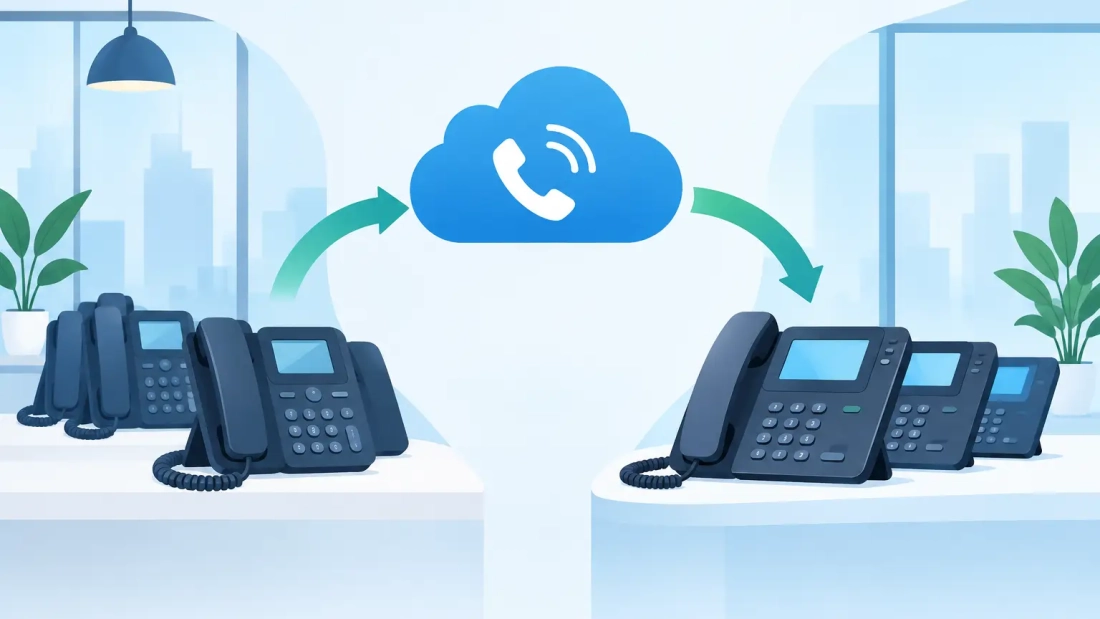
A phone number is more than a contact detail. It is printed on customer invoices, stored in vendor records, listed in online directories, and often tied to years of client relationships. That is why learning how to migrate office numbers requires more than selecting a new phone provider. It requires a plan that keeps customers able to reach your business while your team moves to a better voice system.
For South Florida businesses replacing an outdated phone platform, opening a new location, or moving to hosted PBX and VoIP, number migration can be a practical way to improve communications without asking customers to learn a new number. The process is manageable when it is coordinated carefully, but rushed decisions can lead to missed calls, temporary routing problems, or unnecessary delays.
What It Means to Migrate an Office Number
Migrating an office number is usually called number porting. It transfers your existing business phone number from one service provider to another. Your new provider works with your current carrier to move the number, then activates it on the new voice platform.
The key point is that the number belongs to your business relationship with the carrier, not to the desk phone sitting in the office. A number can typically move from a traditional landline, cable phone service, or another VoIP provider to a cloud-based business phone system. Eligibility depends on the number type, carrier records, service address, and local porting rules.
Porting lets your business retain continuity. Customers keep calling the number they already know, while employees gain features such as mobile calling, voicemail-to-email, call queues, auto attendants, and easier support for multiple locations.
Start With a Complete Phone Number Inventory
Before submitting a port request, document every number connected to your business. This step prevents a common problem: porting the main published number but overlooking fax lines, alarm lines, elevator phones, conference bridges, or direct-dial numbers assigned to key employees.
Your inventory should include the phone number, its current carrier, account number, service address, billing telephone number, and the person authorized to make changes to the account. Also identify how each number is used. A main office line has different routing needs than a direct sales number or an after-hours support line.
This is also the right time to identify services that should not move immediately. Some analog devices, including older alarms, door entry systems, credit card terminals, and elevator emergency phones, may need a separate solution. Do not assume every line can be treated the same way. An operational review protects your business from disconnecting a service that has a safety, compliance, or revenue impact.
Keep Your Existing Service Active
The most important rule in any port is simple: do not cancel your current phone service before the migration is complete.
When a business cancels an account too early, the carrier may release the numbers or mark them inactive. Recovering them can be difficult and may create a longer outage than the original migration would have caused. Your new provider should submit the port request first and coordinate the transfer date. Only after the numbers are confirmed active on the new system should you close the old service, if it is no longer needed.
In many cases, the old provider will automatically remove the ported numbers from the account. That does not always cancel associated internet service, equipment leases, or unported lines. Review the final bill and account status rather than assuming every charge will stop on its own.
How to Migrate Office Numbers in Five Working Stages
The porting process has several moving parts, but a qualified business communications provider can manage the carrier coordination. Your role is to provide accurate records, confirm call-flow requirements, and prepare employees for the switch.
1. Confirm portability and gather account details
Your new provider checks whether each number can be transferred and validates the information held by the losing carrier. Minor mismatches can delay a request. A missing suite number, abbreviated business name, outdated authorized user, or incorrect account number may result in a rejection.
Use a recent invoice from the current carrier whenever possible. It gives the porting team the best starting point for matching records exactly.
2. Submit the authorization documents
Most carriers require a Letter of Authorization, often called an LOA, allowing the new provider to request the number transfer on your behalf. Businesses may also need to provide a customer service record or a recent phone bill.
Review these forms closely before signing. The business name and service address should match the current carrier’s records, even if your company has since changed its branding or moved offices.
3. Build and configure the new phone system
Do not wait for the port date to design the system. Configure users, extensions, voicemail greetings, call queues, business hours, holiday schedules, ring groups, and mobile app access in advance.
This is where a cloud phone system can improve daily operations. A receptionist can answer calls from one screen, a sales queue can distribute calls to available staff, and employees can continue using their office number from a laptop or mobile device. For companies with more than one office, calls can be routed based on department, time of day, or availability instead of physical location.
4. Set a port date and create a fallback plan
Port timing varies. Straightforward transfers may take days, while complex number groups, carrier issues, or incomplete records can take longer. Avoid scheduling the change during a high-volume period, a major event, payroll day, or a critical customer deadline.
Ask what will happen if the carrier does not complete the port at the expected time. A good fallback plan may include temporary call forwarding, a backup published number for urgent communications, and a designated contact from both your business and the provider. The goal is not to expect failure. It is to ensure your team knows who will make decisions if a problem appears.
5. Test every critical call path after activation
Once the port completes, test more than the main number. Call each published line from an outside phone. Verify inbound and outbound calling, caller ID, voicemail, auto attendant menus, transfers, call queues, after-hours routing, and emergency calling information.
Testing should include a real employee in each department. A technically active number is not enough if calls meant for accounting reach sales or if a customer cannot reach an after-hours support option. Make corrections while the porting team and internal decision-makers are available.
Plan for Downtime, Even When You Expect None
A well-managed number port can have little or no noticeable interruption, but businesses should prepare for a brief transition window. Calls may continue routing to the old carrier until the cutover completes, while outbound calling may begin from the new system at a different point in the process.
The best protection is parallel readiness. Have the new phones, softphone apps, network connections, and user credentials ready before the port date. Employees should know how to place calls, transfer calls, and access voicemail before customers begin reaching the new system.
Your internet connection matters here. Hosted voice depends on a stable business network with enough capacity for concurrent calls and properly configured network equipment. A residential-grade connection may work for a small office under light use, but it can struggle when video meetings, cloud backups, large transfers, and phone calls all compete for bandwidth. Businesses with high call volume or distributed teams should evaluate dedicated connectivity, symmetrical speeds, and support expectations alongside the phone migration.
Common Porting Delays and How to Avoid Them
Most porting delays come from avoidable administrative issues rather than technical failures. The current carrier may reject a request when account details do not match, a number is subject to a pending order, or the person signing the authorization is not listed as an authorized contact.
Complexity also matters. A single local business number is generally simpler than a block of direct-dial numbers, a toll-free number, or a number connected to a legacy multi-location account. If your business has a large number inventory, begin planning early and port in phases when appropriate.
Communication inside the business is equally important. Tell front-desk staff, managers, and remote employees when the migration will occur and who to contact with issues. If a phone system changes without notice, normal training questions can be mistaken for service problems.
Choose a Provider That Treats Voice as an Operations Decision
The right provider does more than move a number. They assess how calls move through your business, confirm your network is ready, and remain available when a customer says a call did not reach the right person.
For businesses in Miami-Dade, Broward, and Palm Beach County, local support can be especially valuable when communications, connectivity, and on-site needs overlap. AWBC approaches business voice and fiber connectivity as connected operational services, helping organizations plan for reliable calling rather than treating phone service as an isolated monthly bill.
Before you approve a migration, ask who owns the porting process, what documents are required, how long the expected timeline is, how call routing will be tested, and what support is available on the activation date. Clear answers make the transition easier to manage.
A phone number migration is a chance to clean up outdated call flows, remove unused lines, and give employees more flexible ways to serve customers. Plan the move around your business operations, keep the existing service active until testing is complete, and let the new system earn its place before the old one is retired.