
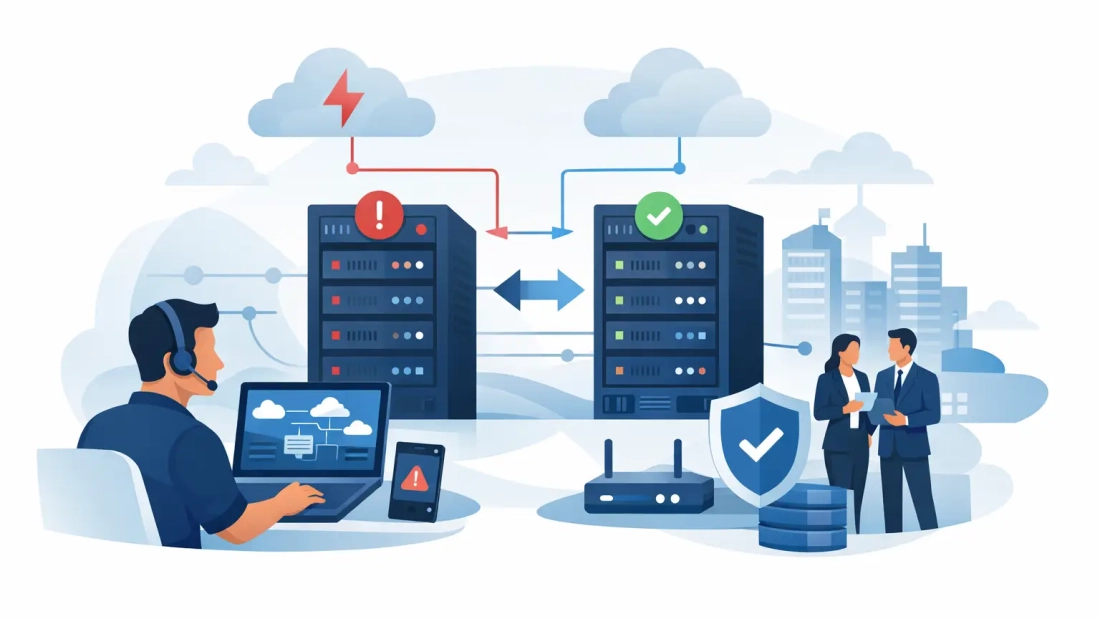
A dropped internet circuit can stop more than web browsing. It can interrupt customer calls, payment terminals, cloud software, security cameras, file access, and communication between locations. To plan network failover effectively, a business needs more than a backup connection. It needs a clear design for what stays online, what can wait, and how employees continue serving customers while the primary network is unavailable.
For South Florida businesses, continuity planning also has a local dimension. Construction damage, power events, severe weather, and building access issues can affect connectivity without warning. A practical failover plan reduces the operational impact and gives your team a defined response instead of a scramble.
Start With the Cost of an Outage
Network failover should be designed around business impact, not just bandwidth. A law office may need its cloud phone system, document platform, and secure remote access to remain available. A medical office may prioritize scheduling, communications, and patient systems. A retail location may put payment processing and point-of-sale traffic first.
Begin by identifying the applications and services that create the most immediate disruption when they go offline. Ask which systems must be restored within minutes, which can operate at reduced performance, and which can wait until the primary connection returns. This creates a recovery priority list that guides every later decision.
It also helps to set realistic recovery expectations. A backup connection may keep essential traffic running, but it may not be sized to support every guest device, large download, cloud backup, and video meeting at full capacity. The goal is business continuity, not necessarily identical performance during every failure event.
Choose a Failover Design That Fits the Risk
A basic failover design uses a primary internet connection and a secondary connection that activates when the primary path becomes unavailable. The router or firewall monitors the primary circuit and directs traffic to the backup path when it detects a failure.
The best secondary path depends on the business, building, and outage risk. In many cases, the strongest option is a second wired circuit delivered through a genuinely different network path or provider. If both circuits share the same building entry, conduit, utility pole, or upstream equipment, a single physical incident may affect both. Redundancy only works when the failure points are meaningfully separated.
Wireless backup can be a practical addition, particularly for smaller offices, retail sites, temporary locations, or organizations that need a fast deployment option. A cellular connection may keep critical applications, cloud voice, and payment processing online during a wired outage. Its limits should be understood in advance: signal quality, data policies, available capacity, and network congestion can affect performance.
For larger organizations, a combination of diverse fiber connections and wireless backup may be appropriate. The right level of protection depends on the revenue at risk, the number of users, required application performance, and the acceptable duration of an interruption.
Automatic vs. Manual Failover
Automatic failover is usually the right choice for business-critical operations. When configured correctly, it can move traffic to the backup connection in seconds or minutes without requiring an employee to call IT or change cables. This is especially valuable outside normal business hours and for offices without dedicated technical staff.
Manual failover can still have a place in lower-risk environments or as a last-resort procedure. It is less expensive in some cases, but it relies on a trained person being available, recognizing the problem correctly, and following the right steps under pressure. That trade-off should be intentional.
Plan Network Failover Beyond the Internet Circuit
A second internet connection does not protect a business if the router, firewall, switch, power supply, or internal network is the actual point of failure. Effective network failover planning looks at the full path between employees, applications, and customers.
Start with the edge equipment. A properly configured business firewall or router should monitor the primary circuit, detect a true outage, switch paths, and return traffic to the primary service when it is stable. Settings matter here. If the device only checks whether the modem responds, it may miss an upstream internet failure. Health checks should test reliable destinations beyond the local circuit.
Power deserves equal attention. A battery backup can keep networking equipment, phones, and essential workstations operating during brief power interruptions. For businesses that cannot tolerate longer outages, a generator strategy may be necessary. Keep in mind that an internet circuit may remain active while your local equipment is powered down, which makes backup connectivity useless until the network cabinet comes back online.
Internal network design also matters. If one aging switch serves every workstation, access point, phone, and camera, its failure can create an outage even when both internet circuits are healthy. Larger sites may need switch redundancy, spare hardware, or a documented replacement process. Smaller offices may simply need a reliable spare firewall and a current configuration backup stored securely.
Protect Voice, Remote Access, and Priority Traffic
Hosted PBX and VoIP systems can continue operating through a failover connection, but voice traffic needs to be considered in the design. Calls are sensitive to latency, jitter, and packet loss. A limited backup connection can become overloaded quickly if video calls, software updates, guest Wi-Fi, and cloud backups compete with phone traffic.
Configure traffic priorities so essential business services receive the available capacity first. This may include hosted voice, payment processing, customer relationship management platforms, remote desktop sessions, virtual private network traffic, and core cloud applications. During a failover event, nonessential traffic such as streaming, personal devices, guest Wi-Fi, and large automatic uploads may need to be restricted.
Remote employees need a plan as well. If staff connect to on-site systems through a VPN, confirm that remote access works through the backup path. Some configurations use fixed public IP addresses, security rules, or tunnels that may not automatically transfer to a secondary circuit. Testing this before an outage is far easier than troubleshooting it while employees are locked out.
If your phone system supports call forwarding or mobile application calling, document how those features work during a building-level incident. Internet failover protects the office network, but it does not solve every scenario. If a site must close because of a power or access issue, employees may need to answer calls from another location or their mobile devices.
Document the Response Before You Need It
Technology alone does not create continuity. Your operations team needs to know who owns the response, who contacts the carrier, and who communicates with employees or customers if a disruption lasts longer than expected.
Keep a short outage runbook that includes circuit account details, provider support contacts, equipment locations, administrator credentials stored through an approved secure method, and escalation contacts. It should state how to verify whether the issue is with the primary circuit, local equipment, power, or a cloud application. It should also identify who is authorized to make service-impacting changes.
A useful runbook is not a thick binder no one opens. It is a practical set of steps that an office manager, operations leader, or IT partner can follow. Include screenshots or plain-language instructions where appropriate, especially for checking firewall status and confirming that critical systems are reachable.
Test the Failover Plan on a Schedule
A failover plan that has never been tested is an assumption. Schedule controlled tests at least once or twice a year, and after major network changes such as a firewall replacement, office move, phone system update, or new cloud application rollout.
During a test, disconnect or disable the primary path in a controlled way and measure what actually happens. Confirm the time required to switch over, whether phones register correctly, whether payment terminals function, whether VPN users can connect, and whether key cloud applications remain usable. Test the return to the primary circuit too. Some networks fail back automatically, while others should wait for an administrator to confirm stability.
Document the results, including problems that were discovered and corrected. You may find that the backup connection works technically but does not have enough capacity for peak business activity. That is valuable information. It gives you a reason to adjust bandwidth, traffic priorities, wireless coverage, or staff procedures before a real outage exposes the gap.
Build Failover Into Future Growth
Network needs change as a company adds employees, locations, cloud services, cameras, collaboration tools, and customer-facing systems. A backup connection that was adequate for ten employees may be inadequate for forty. Review the plan when your business operations change, not only after a failure.
For organizations with multiple South Florida locations, consider how each site will operate independently if another office or central system becomes unavailable. Location-to-location connectivity, cloud voice routing, and shared application access should be evaluated together. The objective is to avoid moving the single point of failure from one circuit to one headquarters location.
AWBC can help businesses evaluate primary and secondary connectivity options, voice continuity requirements, and the practical network design needed for their specific site. The most useful next step is simple: identify the one outage that would hurt your operation most, then test whether your current network can keep that function running.